Agent & Workflow Orchestration
Sub-Agent SpawningAgents can now spawn child agents at runtime to break complex, open-ended tasks into independently solvable sub-problems - enabling parallel exploration and delegation without pre-defining every agent before the run:
- Enable via a single toggle in the agent’s configuration
- The agent self-organizes mid-execution, creating sub-agents only when the problem demands it
- Spawned sub-agents are surfaced in the runtime trace view for full visibility
No-code conditional logic for workflowsWorkflow branching and node execution can now be configured without writing JavaScript, using a simple Field / Operator / Value model:
- Enhanced Conditional Node - route workflows on complex logic with single-value, multi-value, and no-value operators, dynamic variable mapping via {{ }}, and the existing AND/OR and IF/ELSE behavior preserved
- No-code node-level execution conditions - decide whether any individual node runs or is skipped using the same no-code builder; the raw code view is auto-generated and read-only
- Removes the UX break for non-technical and first-time builders who previously had to hand-write conditional syntax
Workflow Builder customization settingsA new settings panel gives builders fine-grained control over the canvas experience - toggling and configuring behaviors such as panning, node collapsing, node string visibility, and undo/redo to suit different working styles.
Voice Agents
Advanced transcriber and voice configuration (Voice Agents Milestone 3)Voice agents move beyond basic setup with production-grade tuning exposed directly in the UI (built on LiveKit 1.5.1):
- Transcriber controls - model settings, custom keyterms, and language refinements for higher transcription accuracy
- Voice output controls - speech speed, voice stability, and profanity filtering
- Fallback providers - configure backups so voice sessions degrade gracefully
Knowledge Base support in realtime modeVoice agents can now ground their responses in your Knowledge Bases during live conversations:
- KB selector enabled for realtime mode, with retrieved chunks injected into the system prompt before the model call
- Per-turn retrieval triggered on low confidence or an explicit lookup
- New KB span in the trace waterfall plus a KB trace JSON view (name, query, chunk count, latency, confidence)
- v1 limitation: retrieval does not occur mid-sentence
Governance, Safety & Guardrails
Prompt-based guardrails for voice agentsGuardrail coverage now extends to voice agents for the first time, using a latency-safe approach:
- Guardrail rules are injected into the agent’s base instructions rather than adding a separate LLM round-trip - preserving the tight response budget voice conversations require
- Brings baseline safety and compliance parity with text agents for enterprise voice deployments
- Behavior is observable via tracing (LLM call → system prompt); no user-facing configuration in v1
Fix - guardrails fully removed on deletionRemoving a guardrail configuration now clears it completely from both the API response and the UI. Previously, deleted guardrails could persist as stale data in network responses and on screen.
Observability & Insights
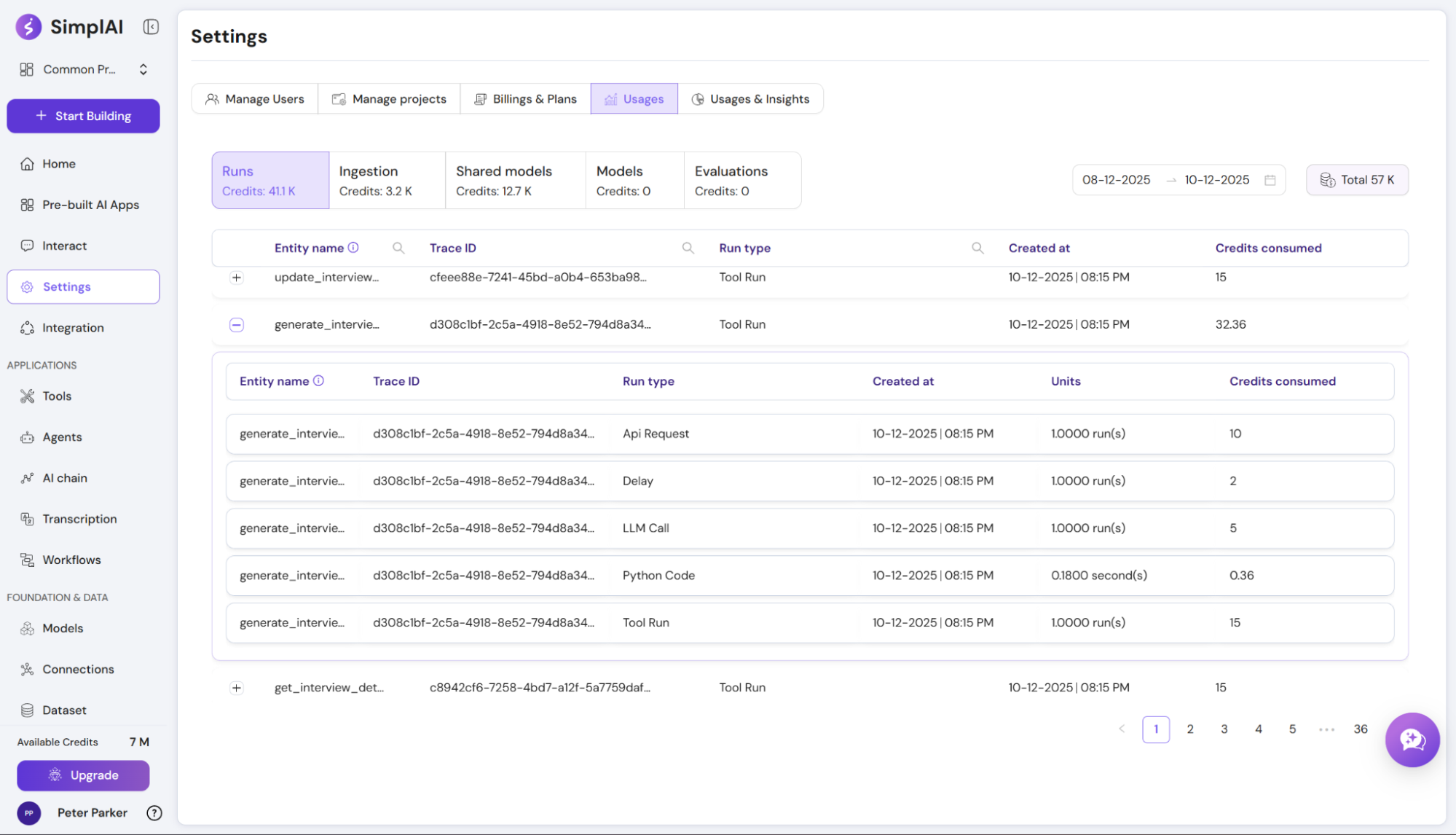
Usages & Insights (Observability Suite)A new Usage and Insights experience gives teams a consolidated view into how their agents are being used, making it easier to monitor activity and analyze performance and cost over time.
Fix - accurate average cost per runThe card view now reports the correct average cost per run per tool. It previously displayed 0 even when multiple tools were invoked during execution, leading to misleading cost and performance reporting.
Platform Reliability & Scale
Resilient bulk runs with event-driven executionBulk Run is hardened against interruptions and high-latency workflows so batches no longer silently lose work:
- A retry mechanism (Batch Reaper) safely reprocesses batches interrupted by pod restarts or deployments
- Full per-record status tracking and idempotency prevent duplicate or dropped rows
- Workflow triggering moves to a non-blocking, event-driven model with backpressure controls to protect throughput
Large tool-step outputs offloaded to object storageSteps that produce very large outputs (web scraping, file parsing, heavy for-each loops) no longer break execution by exceeding MongoDB’s 16MB document limit:
- Large outputs are stored in object storage (S3 / GCS / Azure Blob, cloud-agnostic), compressed
- Only metadata and a lightweight reference (DataRef) are kept in Mongo and passed between steps
- Downstream steps load data on demand and reuse the same reference instead of duplicating payloads
Multi-tenant prioritization for workflow executionWorkflow execution events now run through planner-based admission control with tenant fairness and priority-aware scheduling, so a single tenant’s heavy load can’t starve others - without changing existing workflow semantics.
Marketplace & User Management
Template Marketplace (Milestone 1)SimplAI gains a native surface to share, discover, and reuse agents instead of duplicating them by hand:
- Builders can publish agents to an internal marketplace and track clone analytics with version control
- Cloners can browse, trial, and clone agents self-serve - with guided dependency resolution at clone time - no engineering ticket required
User lifecycle: deactivate, reactivate, and reinviteAccount administration becomes safer and more flexible:
- Deactivate instead of delete - preserve user records and reactivate when needed; deactivated users no longer count against the plan’s user limit
- Reorganized Manage Users screen with Active, Deactivated, and Invited tabs
- Reinvite users whose invitation links have expired
Additional Fixes & Improvements
- Image Generation tool - generated S3 image URLs now open and render correctly in the tool step on production
- Artifact / Canvas agent - fixed a crash during artifact generation caused by an undefined context variable, and corrected false “success” reporting so failed runs no longer log as successful
- Browser Use - resolved the error that prevented Browser Use from running inside agents
- Browser Use in Harness - Browser Use is now restricted within Harness-based agent configurations to avoid duplicate, overlapping execution views, with validation on existing configs
- Instant Preview - the latest Agent and Tool configuration changes are now persisted before launching Instant Preview, preventing lost edits on refresh
Governance, Safety & Auditability
Expanded guardrail library with five new safety checksSimplAI now ships with additional built-in guardrails to help you catch more issues before they reach users:
- Bias check : detects biased language in model outputs
- Prompt injection / jailbreak detection : flags attempts to manipulate agent behavior
- Logic check : catches logical inconsistencies in responses
- Reading level and Reading time : enforce content readability constraints
Reusable project-level Guardrails policiesGuardrail configurations can now be saved as named policies at the project level and reused across agents:
- Create a named policy from Project Settings → Guardrails or directly from an agent’s existing guardrail config
- When setting up guardrails for any agent, select an existing policy to instantly apply all its rules - thresholds, corrective actions, field mappings, and all
- Eliminates the need to manually recreate the same guardrail setup across multiple agents
Guardrails available as discrete tool & AI Chain stepsEach guardrail is now exposed as a standalone step in Tools and AI Chains. You can wire any guardrail into a workflow, send a value to be checked as input, and configure parameters individually - giving you fine-grained safety checks at any point in a pipeline, not just at the agent level.
Audit log Phase 2 - diff view, noise reduction, and exportThe account-level audit log is now more powerful and actionable:
- Entry detail view with side-by-side JSON diff - click any audit log entry to see exactly what changed (added, removed, modified lines) with color-coded highlighting
- Draft edit grouping - rapid draft edits to the same application by the same user within a 10-minute rolling window are collapsed into a single log entry, reducing clutter
- Download option - export the full audit log (including before/after JSON) for offline compliance review
Evaluation & Testing
Scheduled evaluation runs with configurable samplingEvaluations can now run automatically on a schedule, not just manually:
- Choose between immediate (evaluate every completed run) or scheduled (batch-process pending runs on a cron schedule)
- Configure schedules via a simple picker (hourly / daily / weekly) or an advanced CRON expression with timezone support and a preview of upcoming run times
- Set a sampling percentage (1–100%) to evaluate only a representative slice of traces, balancing cost and coverage
Aggregated evaluation results with an Excel-like results tableEvaluation results are now easier to read and analyze at a glance:
- A new Aggregation Summary Panel at the top shows total test cases, pass/inadequate/error counts and percentages, and average/min/max scores
- The results table has been redesigned into a spreadsheet-like experience - fixed headers, column resizing, column grouping (Inputs / Outputs / Metrics), sortable columns, color-coded labels, and expandable reasoning text
- Filter by label, status, or evaluator; search by Trace ID or reasoning text
Async export of evaluation and test resultsYou can now export evaluation and test application results for offline analysis:
- An Export button on results tables opens a configuration dialog showing total rows and the per-export maximum
- Specify row count and starting index to export large datasets in batches
- Results are delivered via email within 20–30 minutes
- Each export is recorded in the audit log for governance
Agent & Workflow Orchestration
Jinja-like templating and smart type casting in text fieldsTools, AI Chains, and agent base instructions now support full Jinja-like expressions inside {{ }} blocks:
- Use conditionals, loops, and dotted access to manipulate variables directly in field values - no extra transform nodes needed
- The runtime now auto-casts expression results to the required field type (e.g., JSON-as-text → structured object), eliminating common type-mismatch errors
- Node outputs retain their native types; casting is applied only at the consuming field
Smart default values across the platformDropdowns and configuration fields across agents, tools, and AI Chains now auto-select sensible defaults when no value is set - models, integrations, KBs, voice config, guardrail fields, answer types, and more. This reduces setup friction and ensures new resources are immediately runnable with fewer clicks.
Import / Export & Cross-Environment Portability
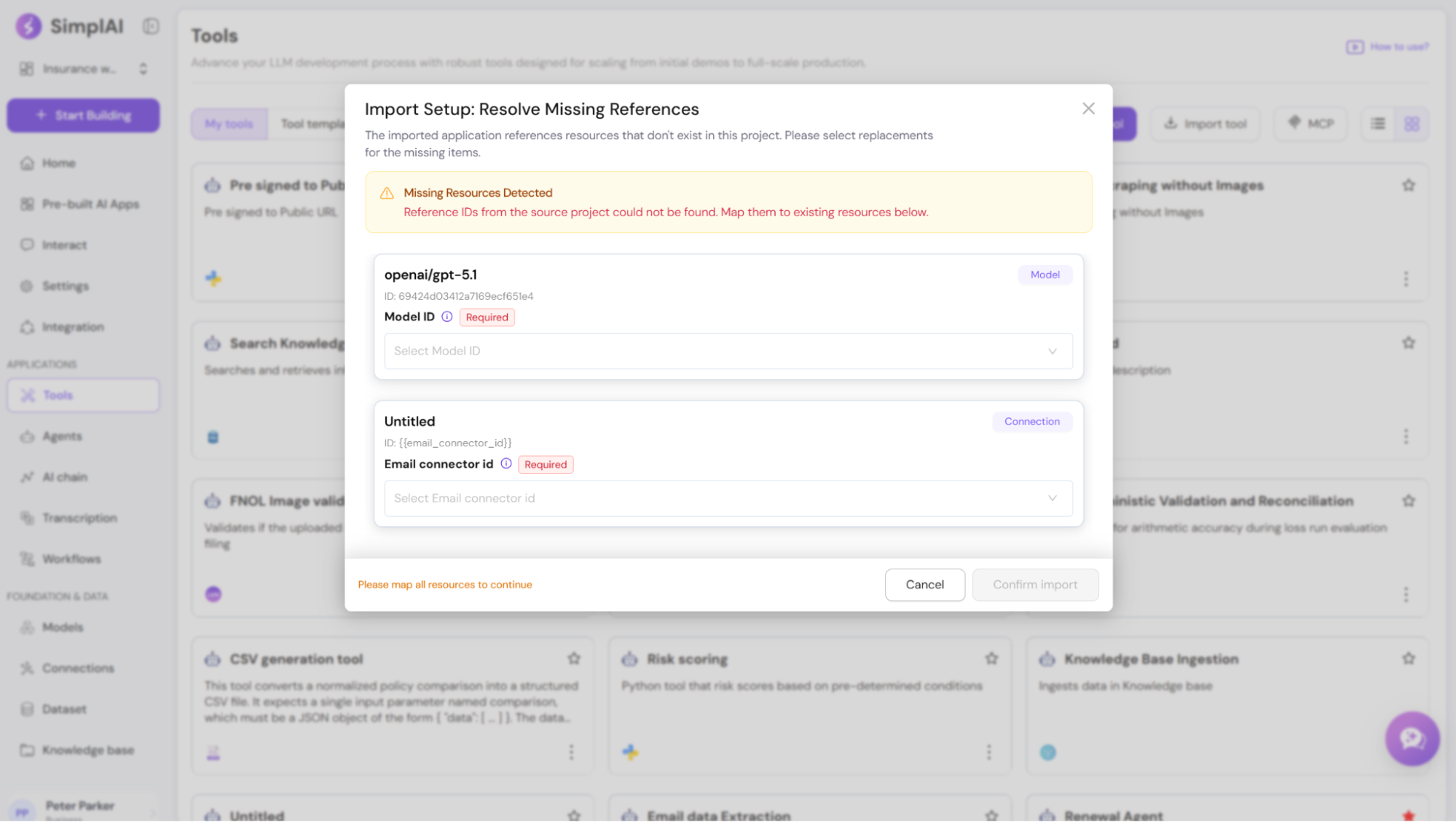
Safer imports with guided “missing reference” resolutionWhen importing an application across projects/environments, SimplAI now detects missing referenced resources (models, agents, tools, KBs, integrations, etc.) and walks you through fixing them:
- A guided import setup dialog lists each missing dependency
- For every missing item, you can select a replacement from the target project
- SimplAI then updates the reference everywhere it’s used, reducing broken imports
Exports now include human-readable names for easier cross-deployment setup
Exported application configs now carry resource names alongside IDs , so imported artifacts remain understandable even when the destination environment can’t resolve original IDs. This makes it much easier to map and replace missing items during imports or when referencing the export file.
Governance, Safety & Auditability
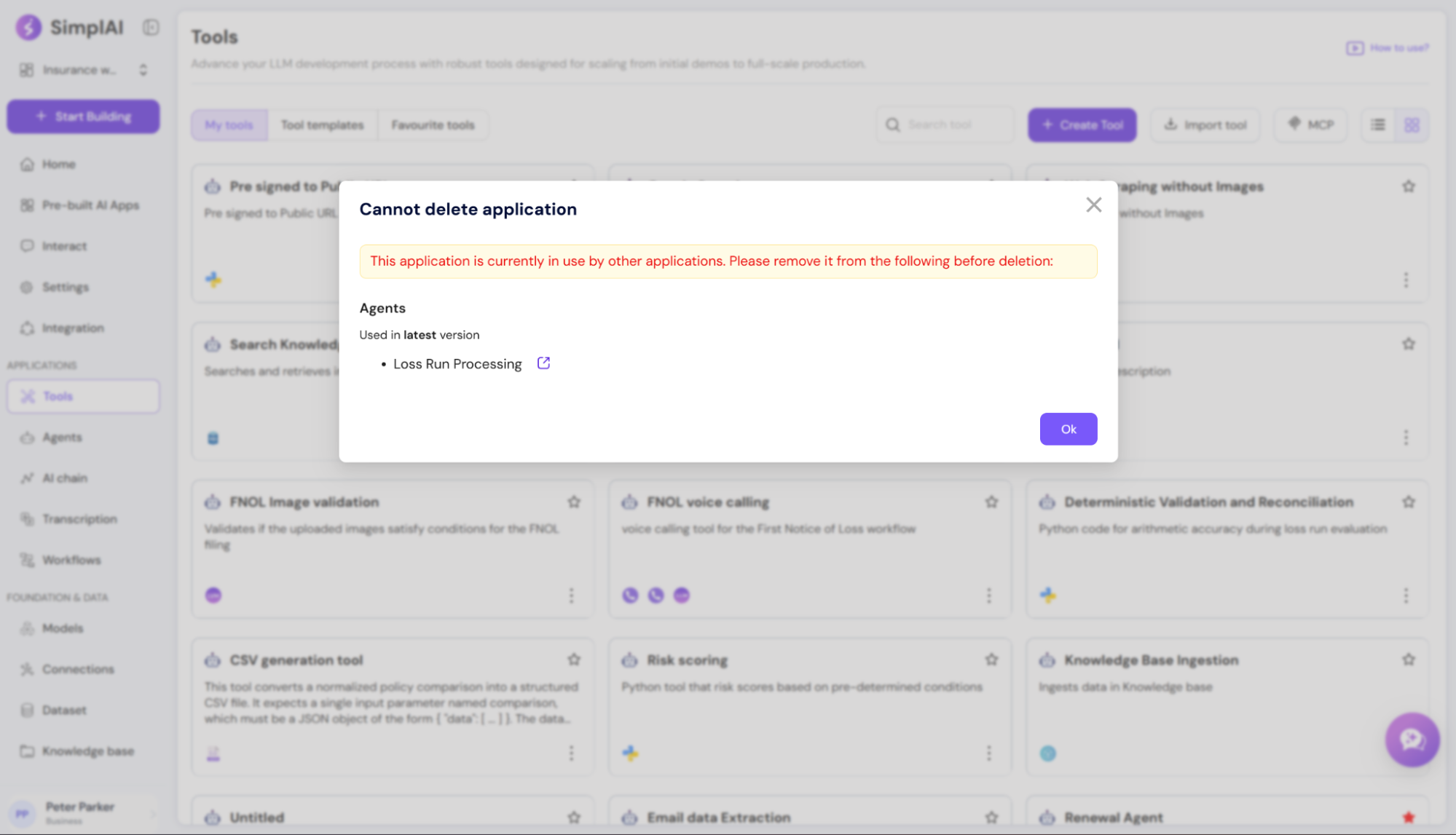
Protection from accidental deletion of deployed or dependent appsApp deletion is now safer and more explicit:
- Deployed apps must be disabled before deletion
- Published apps used by other apps can’t be deleted until dependencies are removed
- The UI clearly surfaces what’s blocking deletion and where dependencies exist
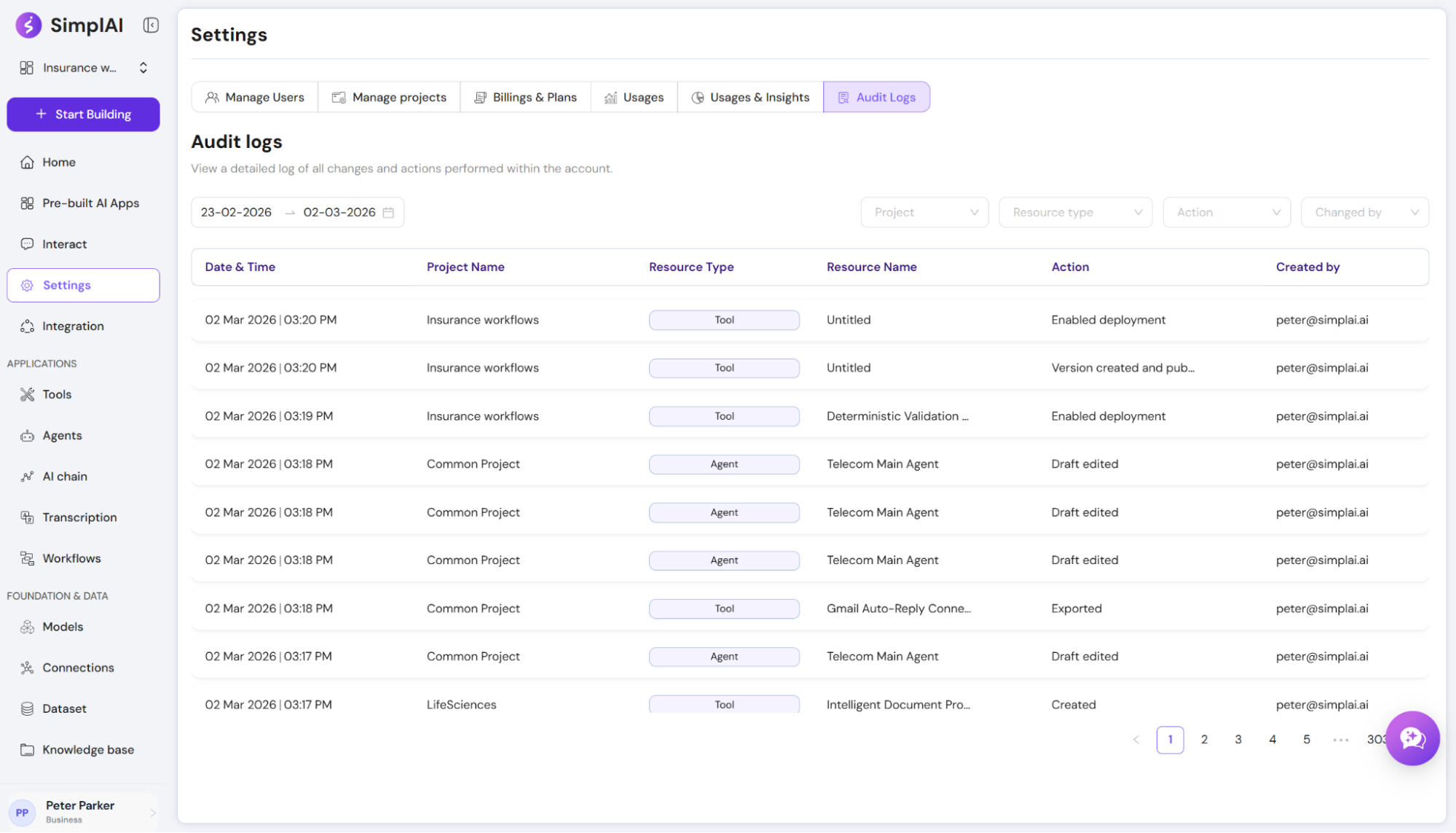
Account-level audit log for key platform resourcesAdmins now have a centralized audit log UI covering core resources and actions across the account:
- Tracks who did what, when, and where(project/resource/action/actor)
- Supports filtering by project, resource type, action, user, and date range
- Improves governance for CRUD activity, import/export actions, version changes, integration toggles, and more
Agent & Workflow Orchestration
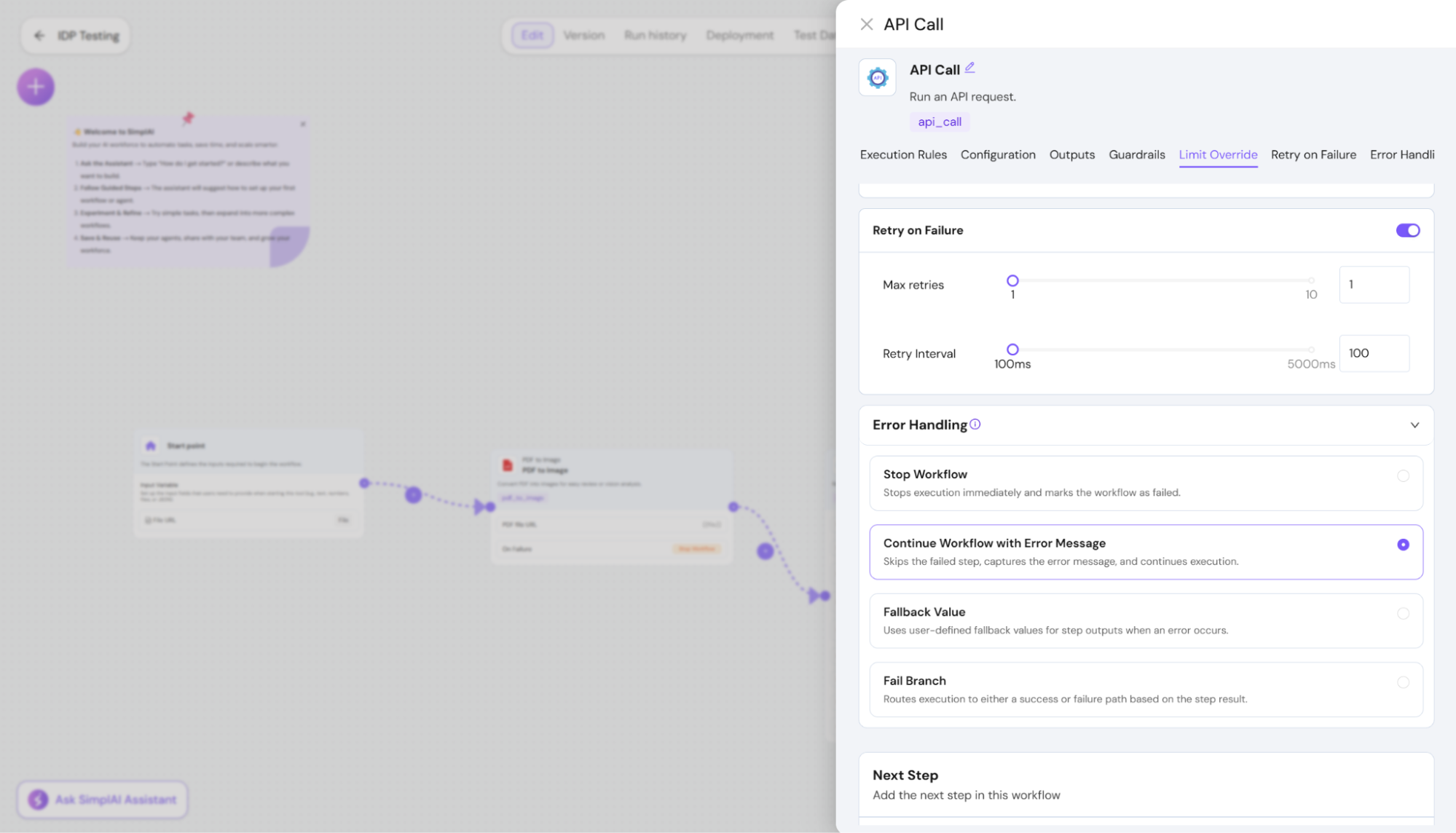
Step-level retries and error handling controlsWorkflows now support resilient execution patterns per step, without custom glue:
- Retries can be enabled/disabled per step
- Configure max retries and delay between retries
- Choose error behavior:
Stop workflow
Continue with error message
Fallback value
Failure branch routing (success/failure branching based on step outcome)
Live tracing for in-progress runsTracing now supports real-time operational visibility:
- Clear run status view (In-Progress / Completed / Failed) with a node-level tree state
- Filters by status and source (UI/API/embed)
- Exportable views aligned to what you see in the UI
- User identity shown as email for easier operational debugging
Richer agent nodes inside tools and AI chainsAgent nodes used within tools/AI chains now support more advanced agent capabilities such as structured outputs, orchestration controls, citations/artifacts, and reflection, making complex compositions more powerful and consistent.
Models & Integrations
Improved provider reliability and expanded routing optionsModel integrations have been hardened and expanded:
- Added an automatic routing model option to let the provider choose the best model dynamically
- Added Vercel as a first-class provider option (sourced from a supported model list)
Developer Experience & Extensibility
SimplAI SDK for programmatic workflows, agents, and automationA first version of the SimplAI SDK is now available to make embedding SimplAI into external systems easier:
- Sync/async execution with built-in polling, retries, and timeouts
- Bulk runs with configurable concurrency and per-record status
- Scheduling for one-time and recurring executions
- Agent chat APIs including streaming responses
- APIs to fetch traces and usage/cost data for runs
Knowledge & Retrieval
Semantic retrieval upgrades for KB-powered appsKnowledge retrieval has been improved across tools, chains, and agents:
- Semantic search across multiple columns in table-style KBs
- Better filtering expressions for KB table queries
- Agent support for SQL-backed KB querying
- More consistent KB result formatting for structured downstream use
Observability, Billing & Control
Ingestion usage now links back to trace contextIngestion usage reporting is now more attributable:
- Ingestion triggered by applications is tied to the Trace ID and visible in the Ingestion → Usage view
- KB-triggered ingestion is linked to KB and Document identifiers
This improves cost attribution and troubleshooting across ingestion and execution paths.
SimplAI Assistant & Onboarding
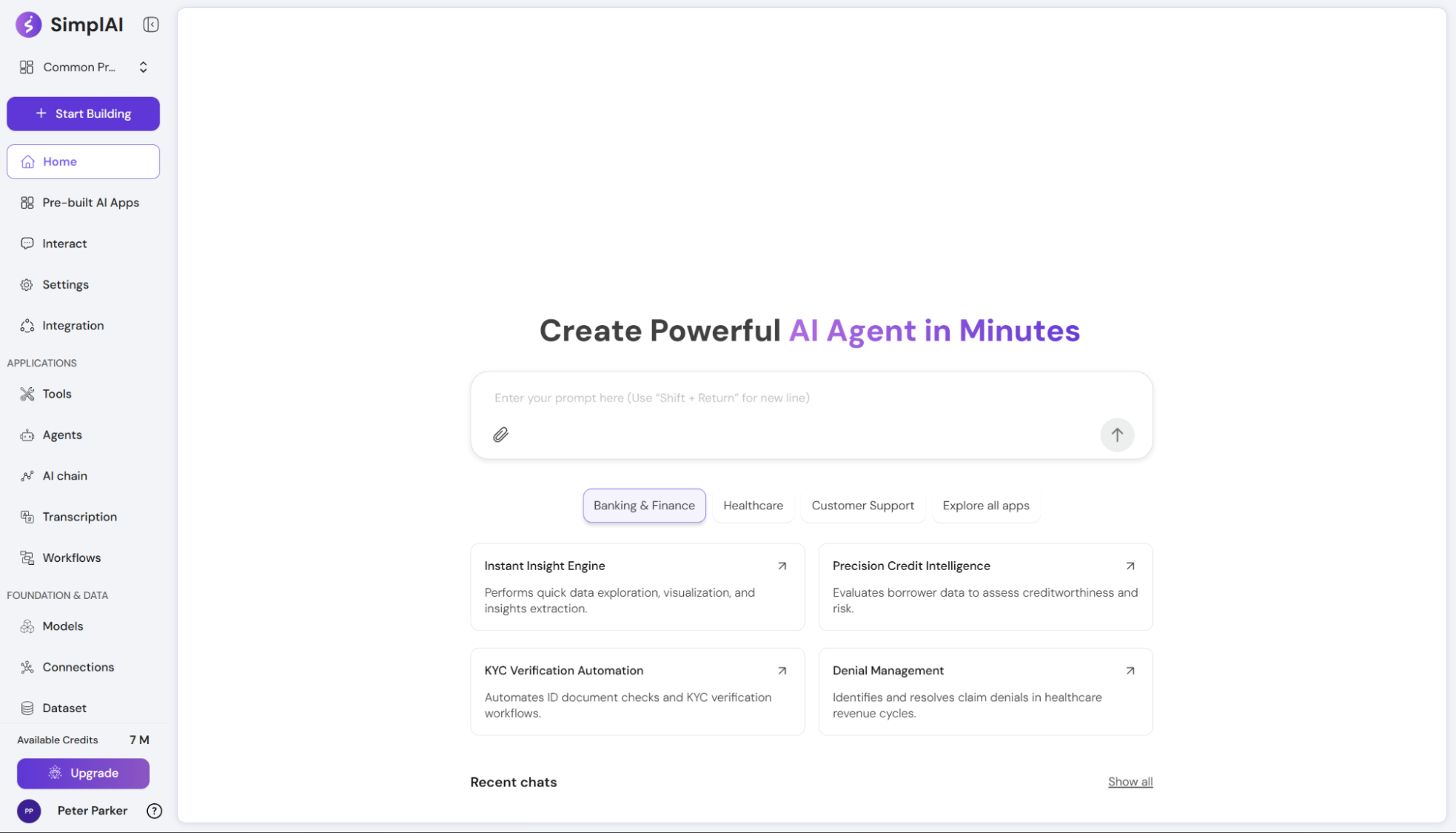
Industry-aware recommended startersSimplAI Assistant now recommends prebuilt applications tailored to a user’s industry, so teams can start from relevant examples faster. You’ll see smarter suggestions in Recommended and industry-specific views.
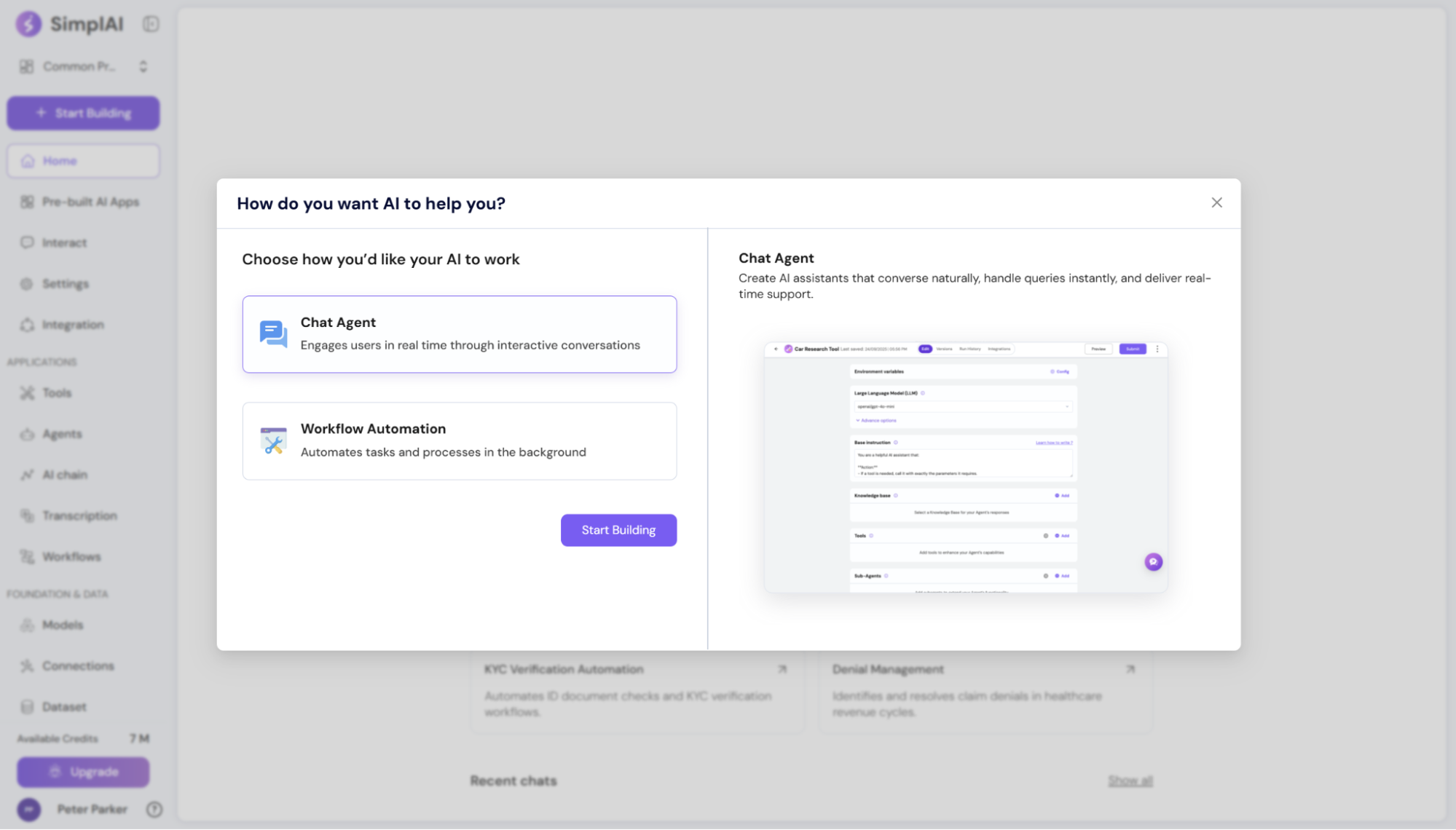
A smoother “Start Building” experienceWe redesigned the primary entry point to reduce first-time friction:
- Clearer guidance and improved UX copy
- The chat agent is selected by default, matching the most common starting workflow
- A more intuitive builder layout so it’s obvious what to do next
Refreshed dashboard and app managementThe dashboard and applications listing/edit experience have been updated to make it easier to:
- Understand what’s deployed
- Discover key apps quickly
- Jump into editing with fewer clicks
Agent & Workflow Orchestration
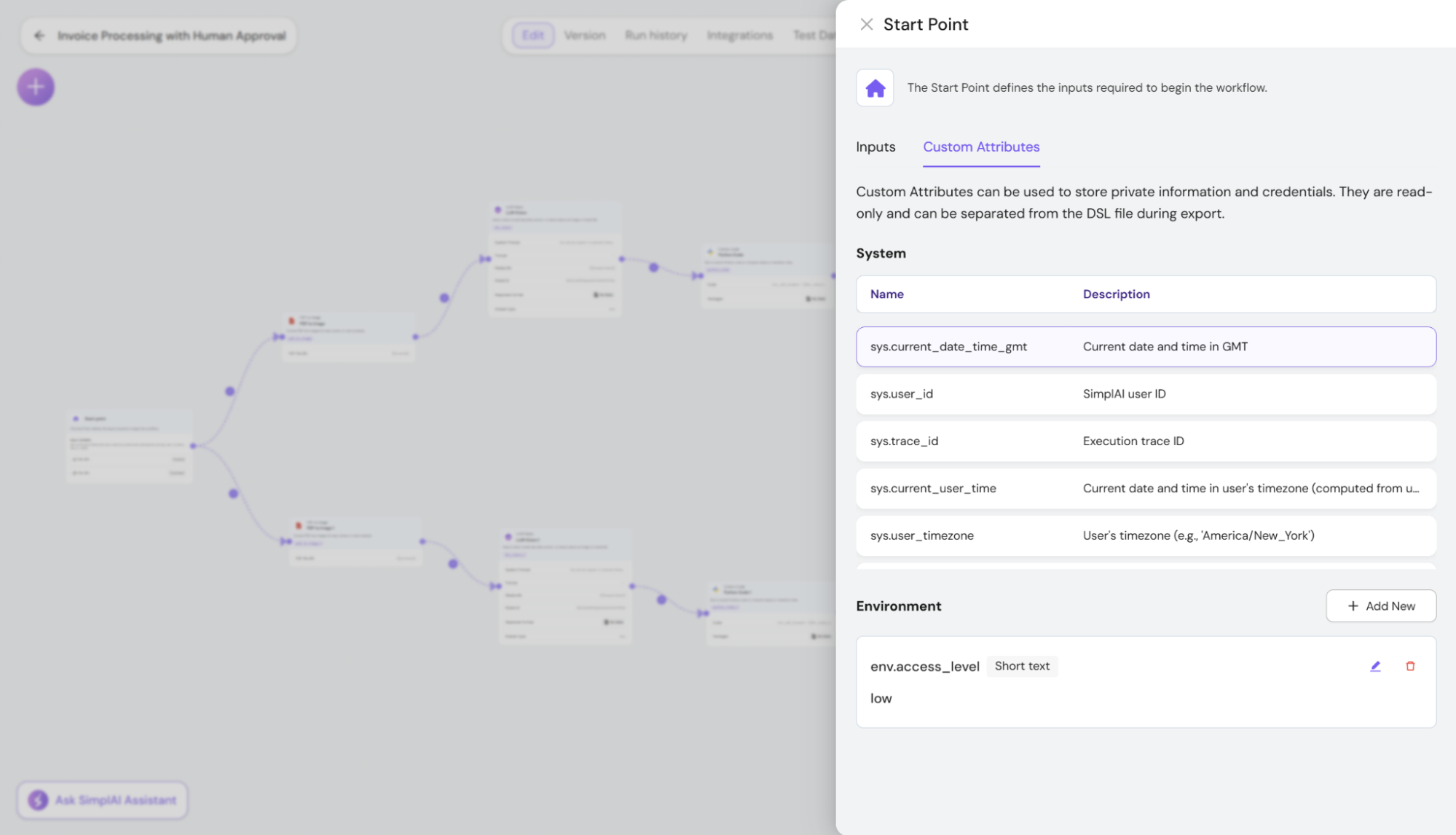
Environment variables for agents and toolsA new environment variable framework makes it easier to manage configuration across a project:
- Variables stay consistent across applications within the same project
- API-provided values can override defaults and propagate through nested agent/tool calls during a run
- Variables are protected from export, yet remain usable in agent instructions
- Includes dynamic context variables (e.g., current time, timezone, user identity, trace identifiers) to enable more context-aware behavior
Integrations & Connectivity (MCP, A2A, Enterprise Apps)
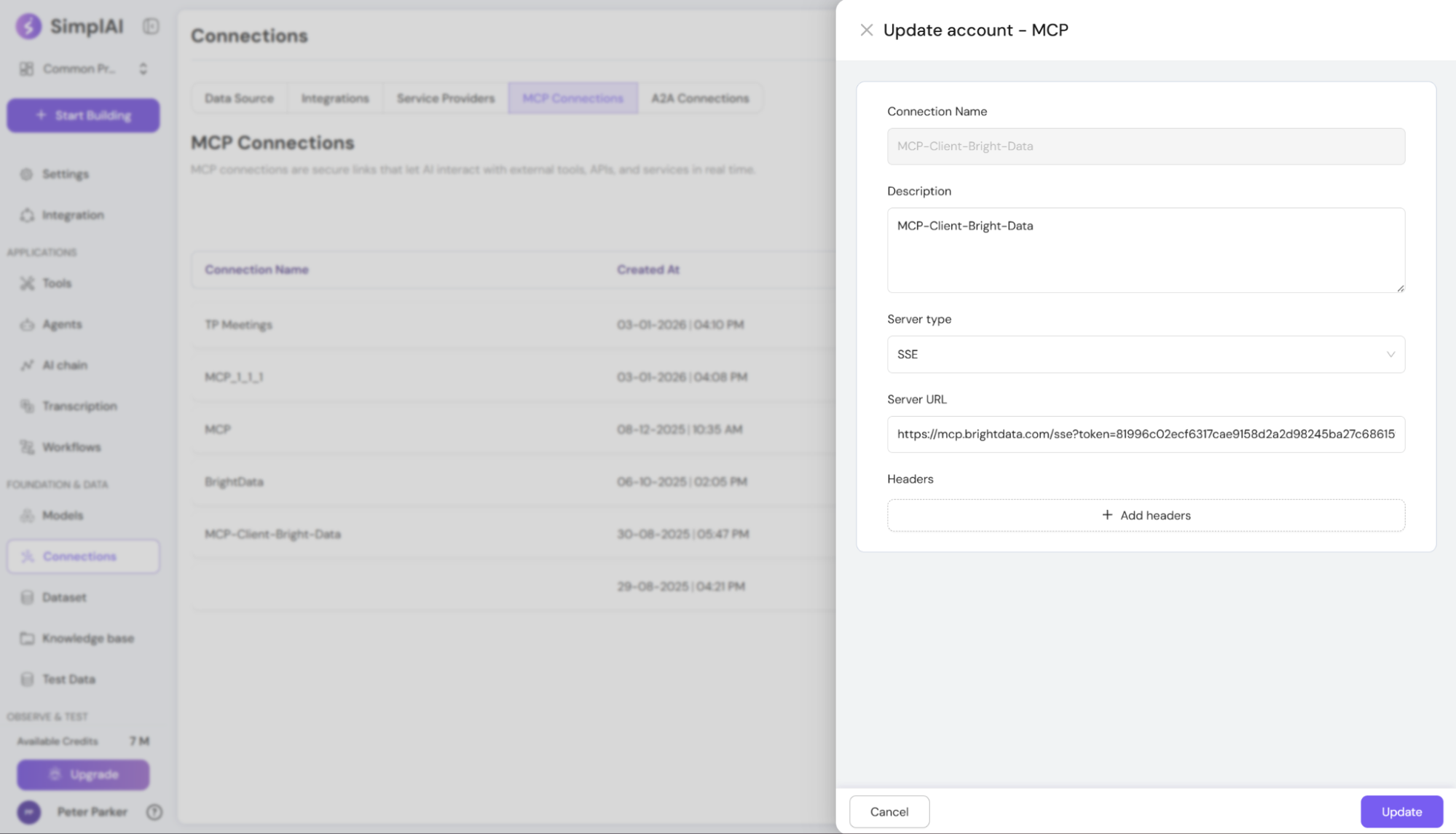
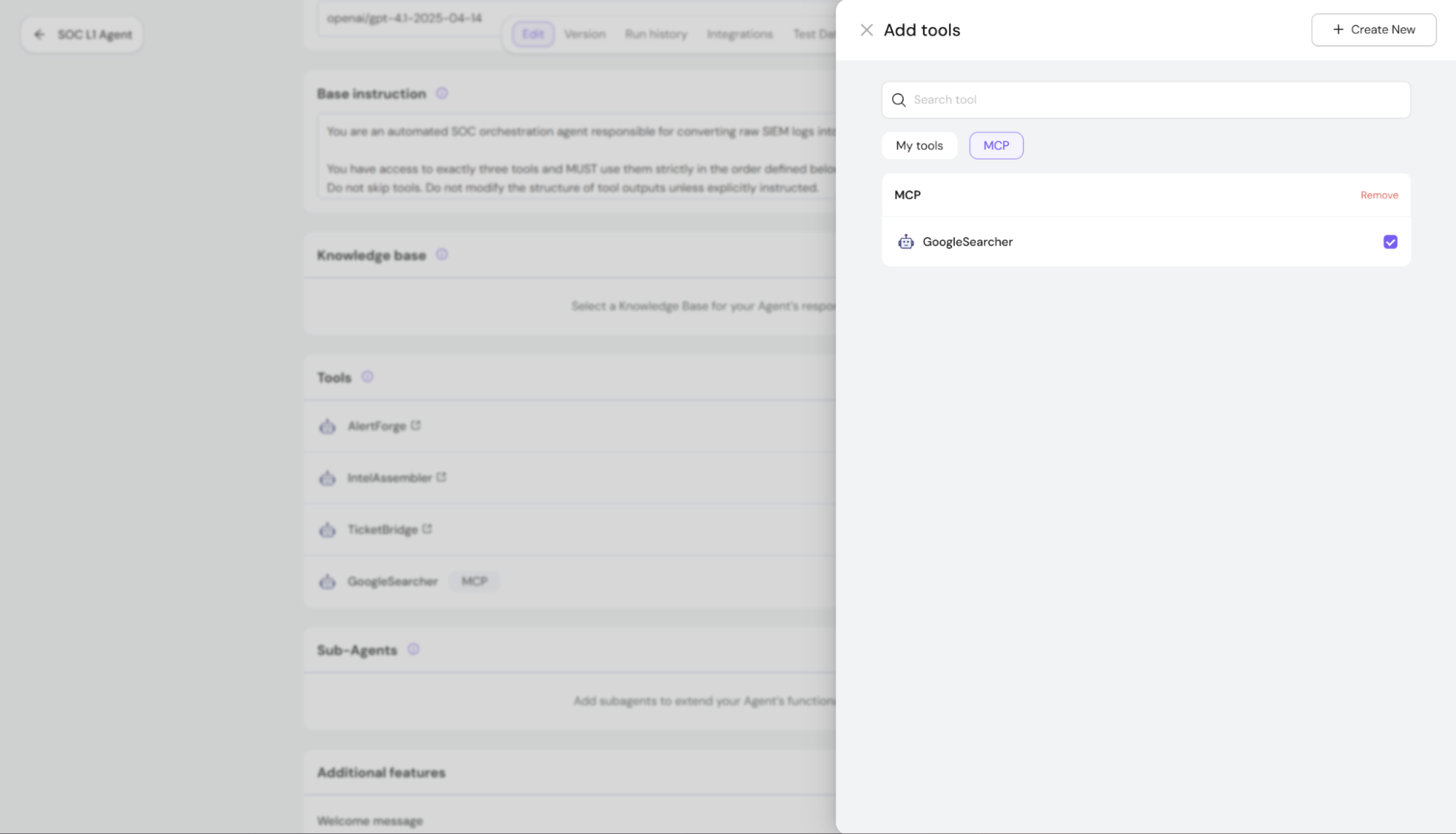
MCP connections and workflow stepsYou can now connect to remote MCP servers directly from the UI, manage them (configure/edit/delete), and call MCP-hosted tools as workflow steps-making external capabilities feel native inside SimplAI.
Agent-to-Agent (A2A) interoperabilitySimplAI now supports A2A-style integrations so agents can be used more easily across systems:
- Agents provide integration details (endpoint, auth, and a machine-readable agent description)
- You can connect external A2A-compatible agents and use them as sub-agents within SimplAI orchestration, behaving like native components
Expanded third-party integrationsWe significantly expanded connectivity across enterprise systems-adding hundreds of new third-party integrations, including additional content sources and secure OAuth-based connectors-so you can bring more of your stack into SimplAI workflows.
Email & Calendar Automation (Google & Microsoft)
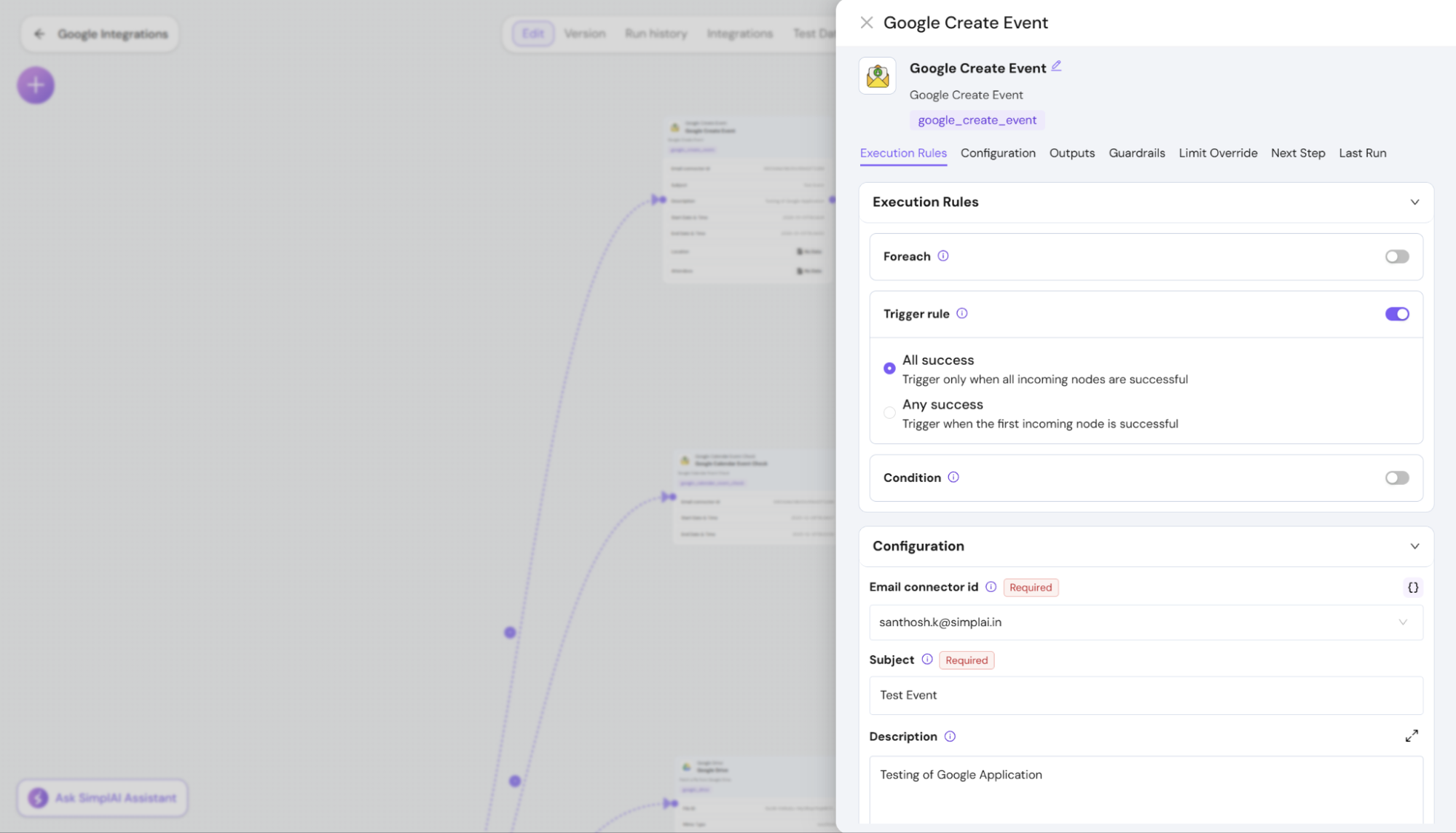
We expanded workspace automation so agents can orchestrate email + calendar flows end-to-end.
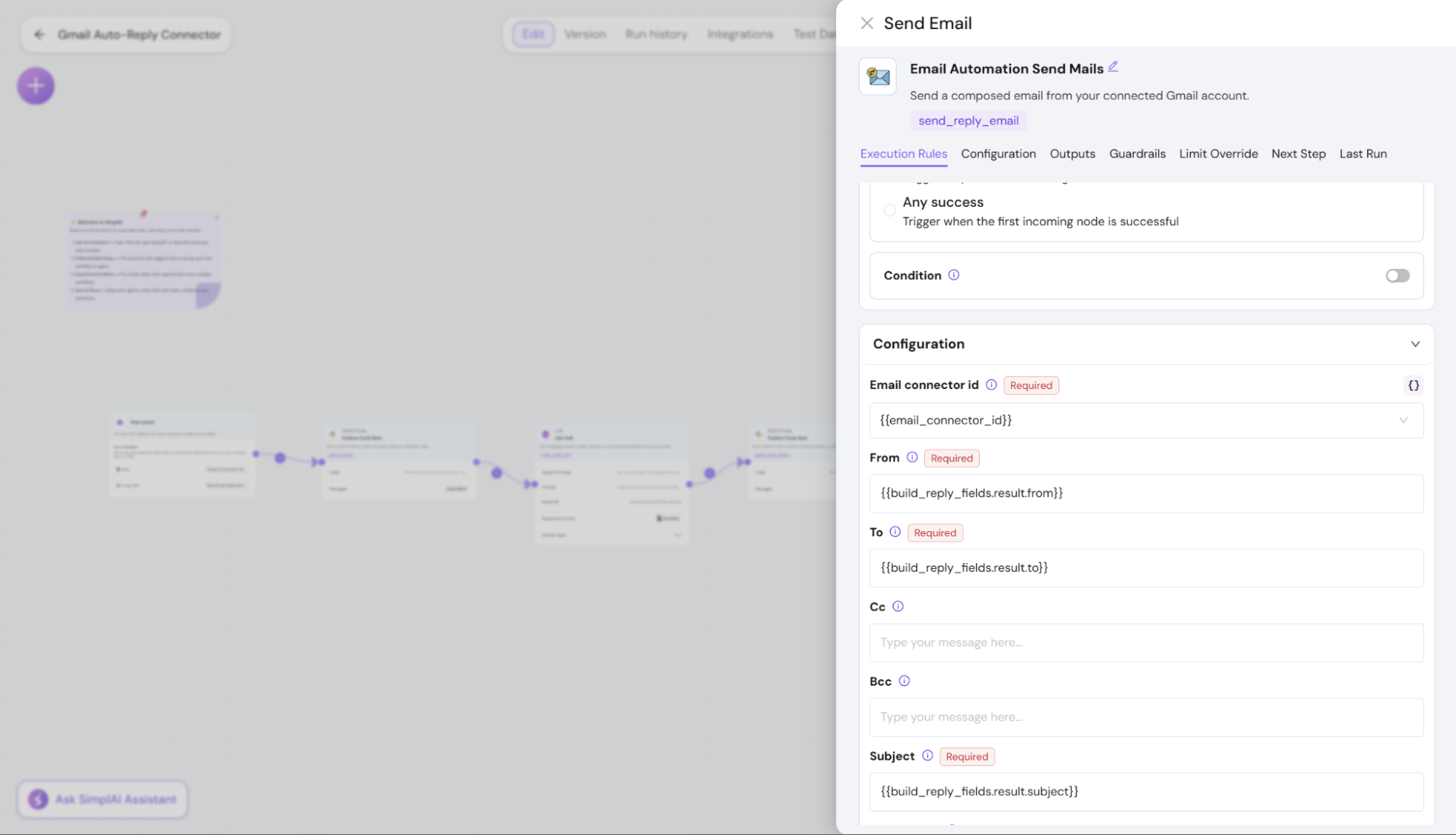
Outlook Email automation - Send emails from workflows
- Reply / Reply-all actions with richer message context
- Improved email fetching outputs to give agents more context per message
Google Calendar automation - List events for a given time range
- Create events with participants, reminders, and full event details
Microsoft Calendar automation - List events within a time window
- Create calendar events from workflows (parity with Google Calendar capabilities)
Together, these enable assistants that can triage inboxes, schedule meetings, send follow-ups, and coordinate calendars across Google and Microsoft ecosystems.
Knowledge & Web: Crawler, Search, and Media
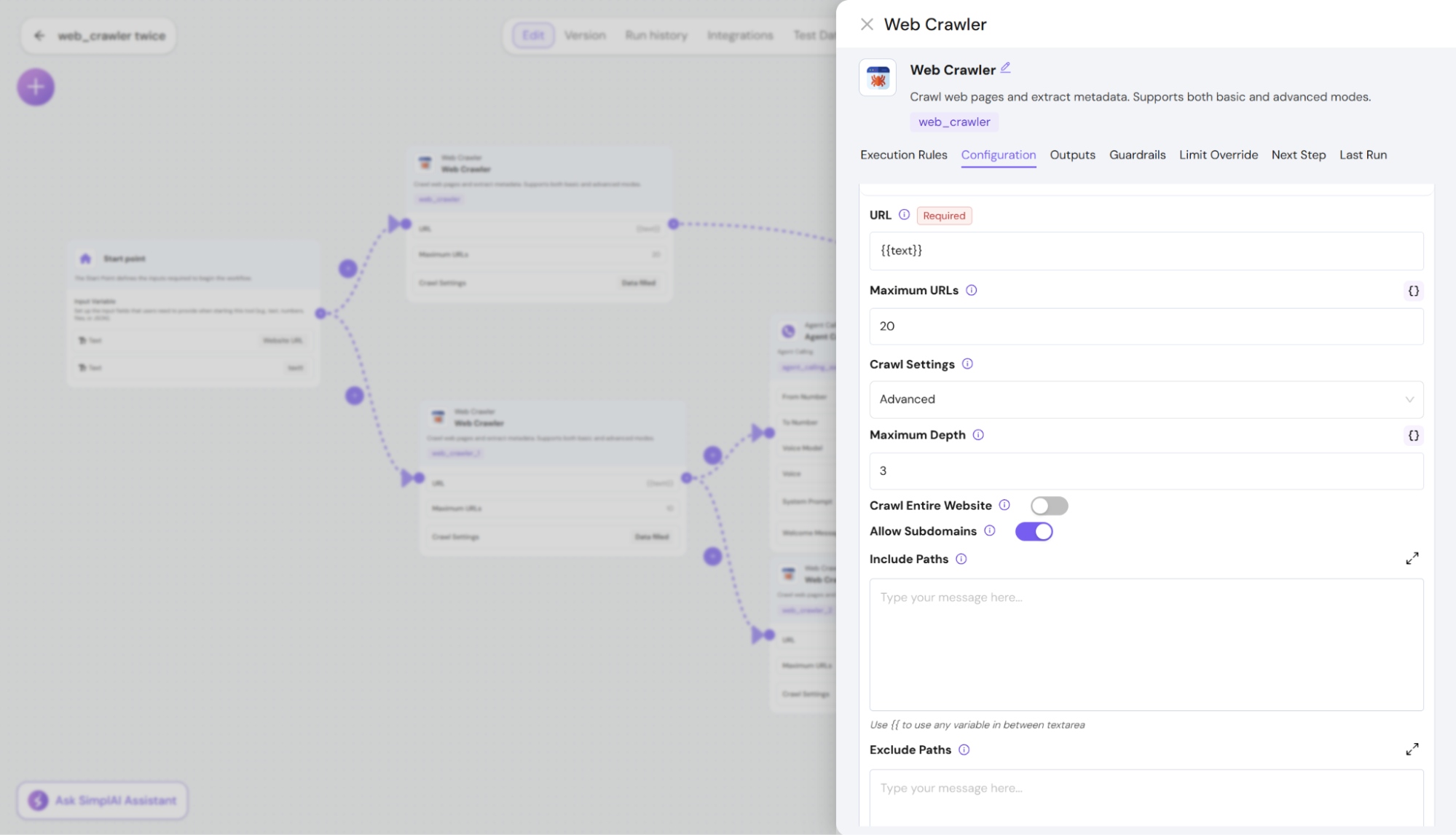
Crawler enhancements (prompted extraction + richer metadata)Advanced crawling now supports:
- A prompt parameter for more targeted extraction/generation
- Markdown metadata for richer rendering and downstream use in knowledge bases and artifacts
- A more intuitive builder layout so it’s obvious what to do next
Web-augmented search as a workflow stepWorkflows can now call a web search step that returns structured results with citations, designed to feed directly into subsequent steps. It also handles empty/invalid queries gracefully.
Image generation as a workflow stepYou can now generate images in workflows using text-to-image:
- Input: image description + model selection
- Output: a generated image file stored and returned via URL
This is built to support additional image models over time.
Observability, Billing & Control
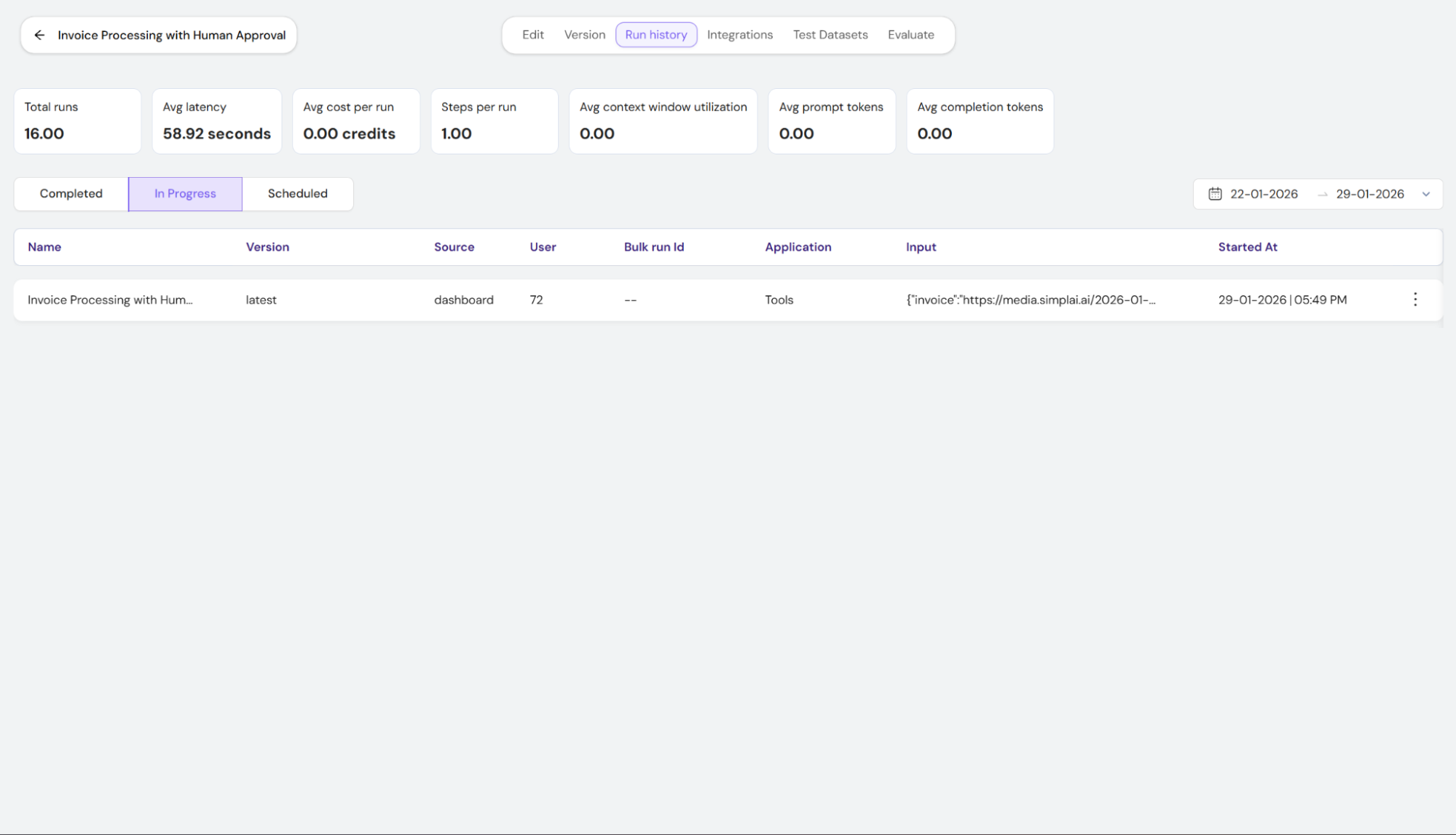
Run history and operational metricsRun History now includes better visibility into in-progress runs and richer metrics such as token usage, context utilization, average cost per run, step counts, and latency-making performance and cost easier to understand.
Better trace visibilityTrace identifiers are now more prominent with one-click copy support wherever traces are shown-improving debugging and cross-system correlation.
Fine-grained usage and cost trackingUsage reporting now supports per-run/per-trace cost visibility, enabling more precise tracking across tools, agents, and workflow executions.
Execution control for long-running toolsYou can now stop tool executions via API to control runaway jobs and manage resource usage more effectively.
More consistent APIs for tooling and runsWe continued standardizing execution and control APIs across runs, scheduling, bulk operations, and termination, improving reliability for large-scale automation.
🗣️ SimplAI Assistant: Your 24/7 AI Co-Pilot
One-Click Access - Home: Tap the chat icon in the prompt bar
- Anywhere: Click the floating bubble in the lower-right corner
Plain-English Commands“List my agents,” “Create a new KB,” “Transform this JSON,” “Draft a spec”-and get instant, actionable results without hunting through menus.
Action-Ready WorkflowsCreate, modify, or inspect agents, tools, datasets, and more-directly from chat, with full context included for zero friction.
🤖 Agent Planning & Execution Framework
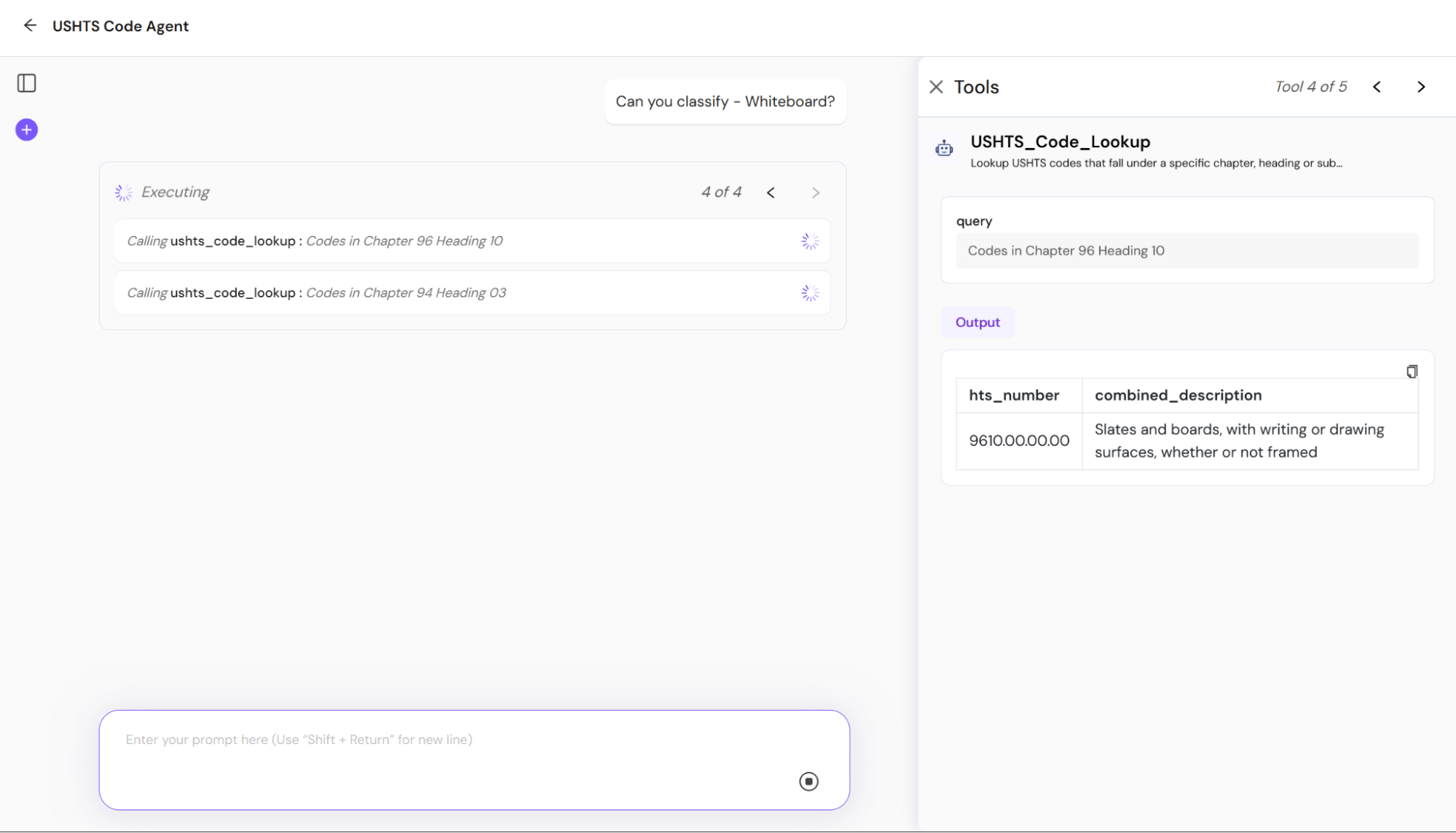
Scratchpad PlanningA live, mutable working memory where agents draft a high-level plan before executing-capturing the overall objective and a numbered list of sub-goals, all visible to you.
Sub-Goal DecompositionComplex requests are automatically broken into discrete, actionable steps, ensuring clarity and reducing “hallucination” by guiding reasoning through explicit tasks.
Step-Wise ControllerEach sub-goal runs through a structured loop:
1. Define: Precisely describe the current task
2. Execute: Invoke the right tool or return the final output
3. Eval: Compare results against the goal and plan corrections if needed
Adaptive Re-PlanningIf a step’s output doesn’t meet the objective, agents adjust their plan within the scratchpad-refining queries or parameters until success.
📁 Artifacts
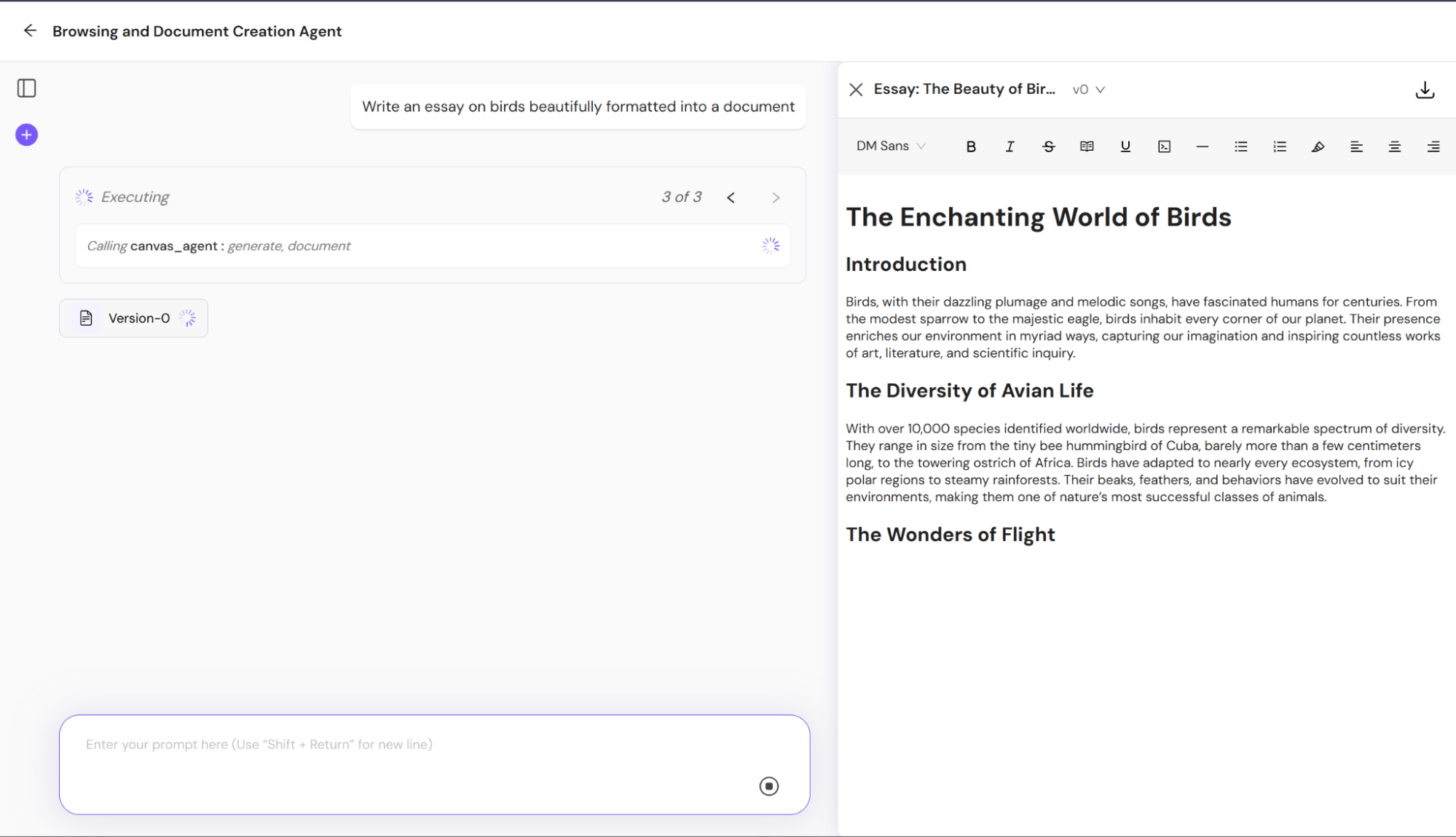
Beautiful Document GenerationProduce richly formatted Markdown or HTML documents-specs, reports, or blog drafts-with headings, tables, images, and custom styling.
Code File Creation & EditingGenerate ready-to-run Python, JavaScript, or other language files. Insert functions, classes, or full modules based on your prompts.
Section-Targeted RewritesNeed to tweak a paragraph, refactor a function, or adjust styling? Ask the agent to rewrite just that section-no full-file regeneration required.
Interactive Canvas InterfaceView and edit artifacts inline with live previews (rendered Markdown/HTML or syntax-highlighted code). Collapse or expand sections and add comments with ease.
Versioned ExportsDownload artifacts as .md, .html, .py, .js, or .pdf. Track versions, compare diffs, and roll back changes as needed.
🌍 Browser Use
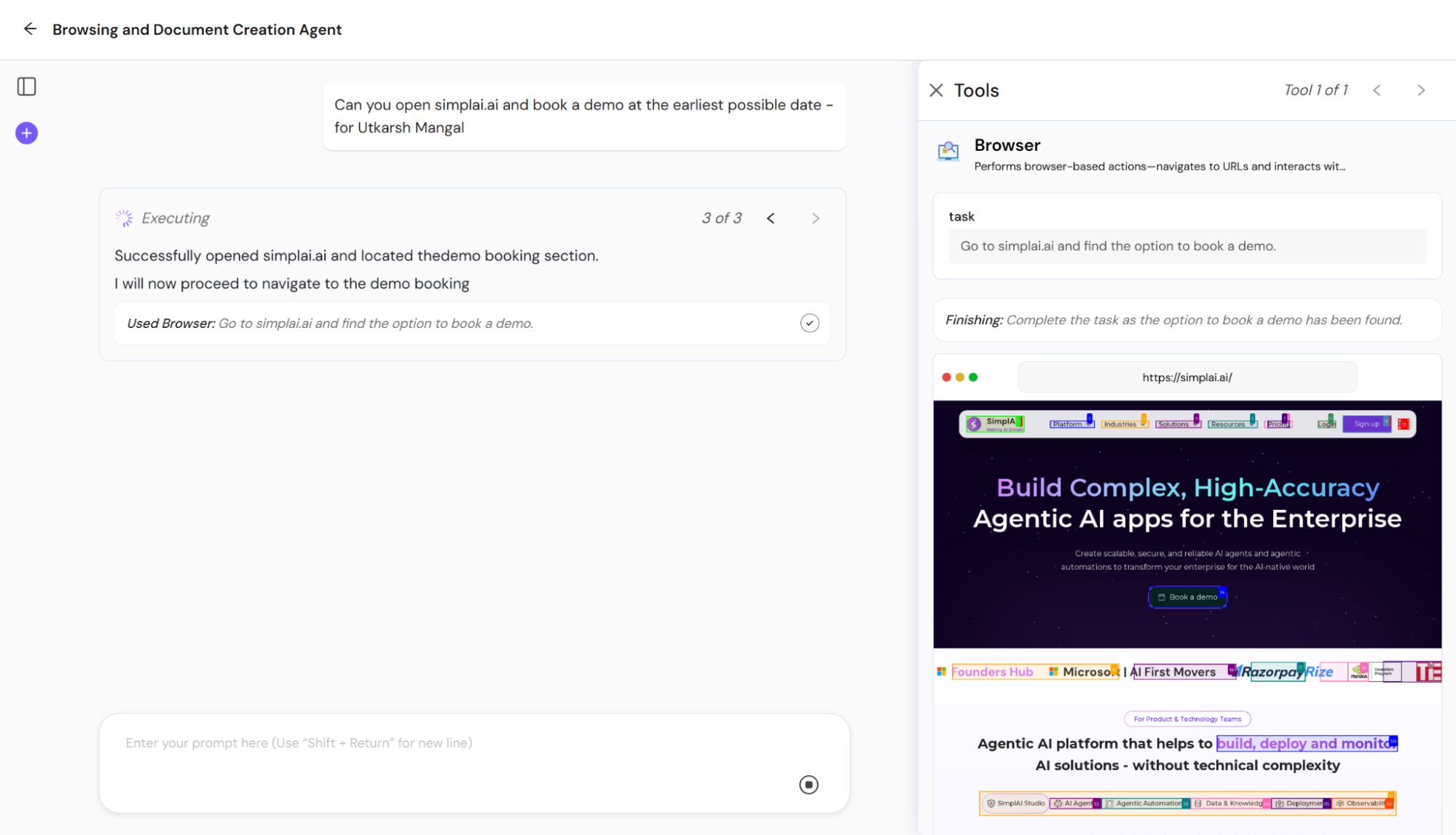
Natural-Language AutomationEnable Browser Use in agent settings to let agents “log in to example.com, navigate to Reports → Monthly, and scrape the sales table”-handling clicks, form fills, waits, and navigation seamlessly.
Dynamic Content ExtractionExtract text, HTML snippets, tables, images, or JSON from any page element using CSS selectors or XPath-even on Single-Page Applications with asynchronous loads.
Interactive ActionsClick buttons, select dropdowns, type into fields, scroll pages, hover elements, and more-all via plain-English instructions, maintaining authentication flows and session state.
Debugging & SnapshotsCapture full-page or element screenshots, DOM snapshots, and console logs as part of the agent trace for transparent troubleshooting.
Scheduled Monitoring & ResearchRun recurring browsing tasks for price tracking, content monitoring, or market research-agents can notify you when key data changes.
🧠 LLM Response Format – JSON Schema Builder
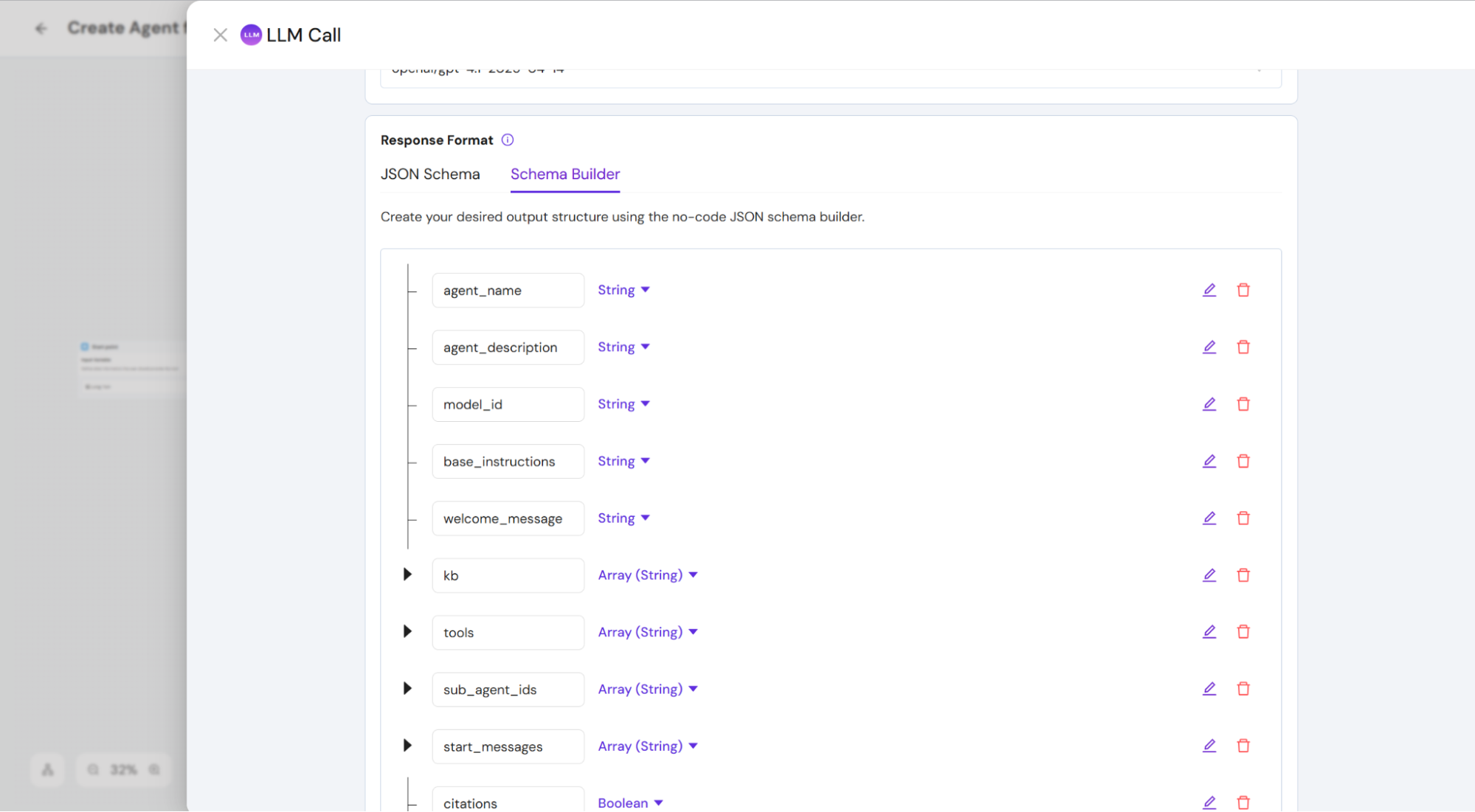
Define exact, predictable JSON schemas for your LLM outputs-ideal for validation, automated post-processing, and downstream workflows.
📞 Outbound Calling Tool
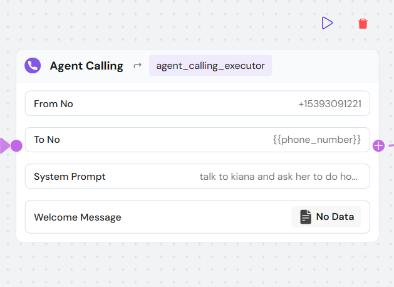
Add voice-calling steps to your AI workflows with our pre-built tool. No SDK or telephony setup-just drag, drop, and dial.
🔗 Google Connectors (Docs, Sheets, Drive)
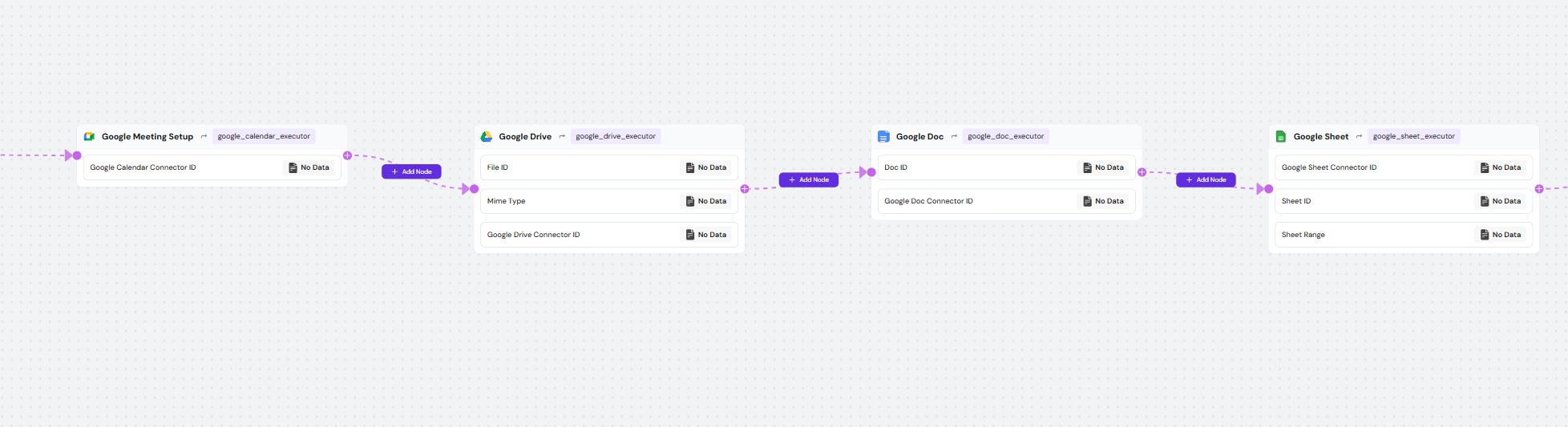
Seamlessly fetch, transform, and ingest data from your Google Workspace into your Knowledgebase via simple, no-code pipelines.
🌐 Browsing Tool Step
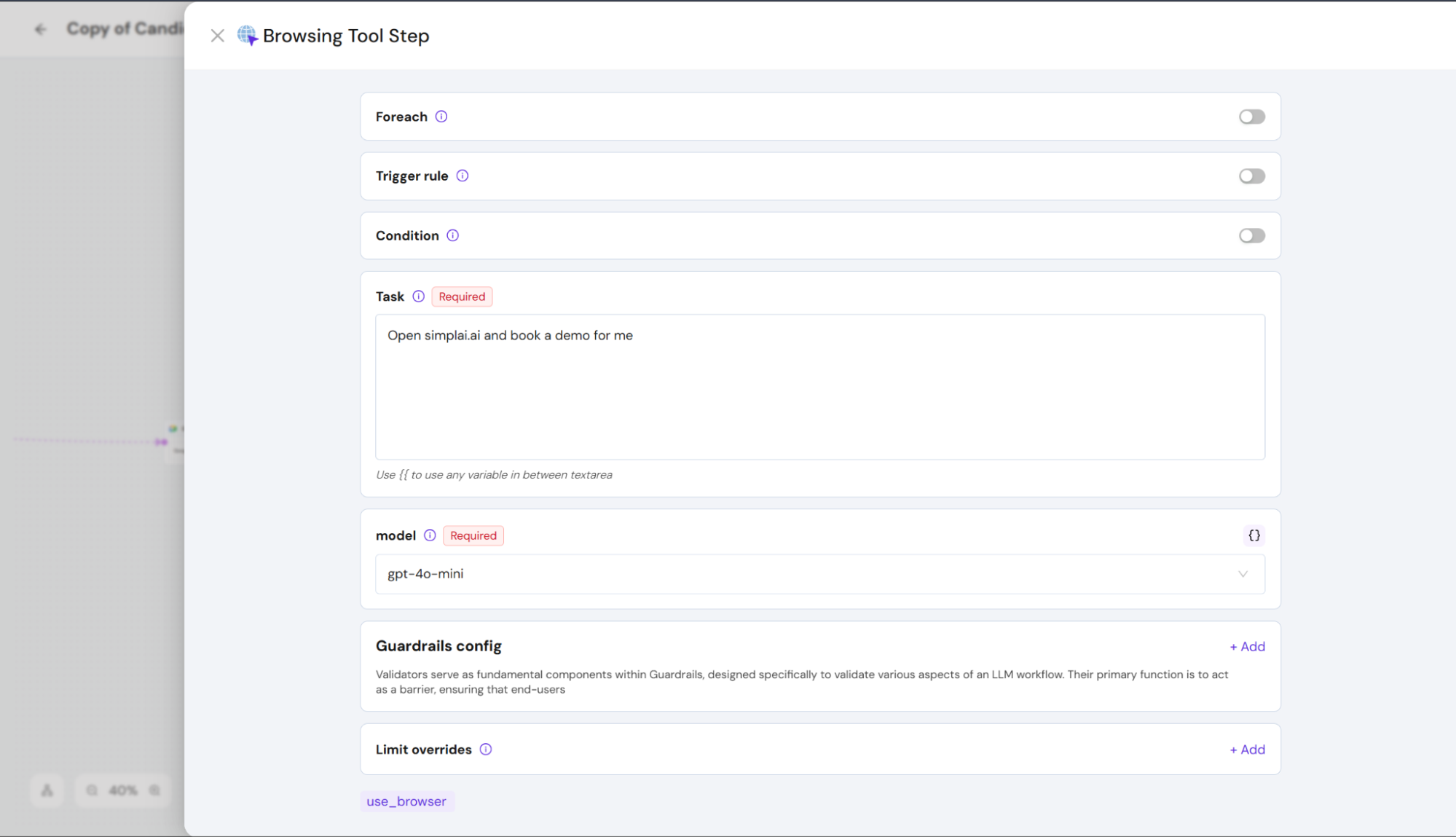
Empower tools with headless web browsing using the Browser Use Step: supply a URL and natural-language instructions, and it will navigate, interact, and scrape content for you.
📊 Ingestion Transparency & Performance
Ingestion Details in KnowledgebaseView rich metadata for every ingestion: parsing algorithm, chunking strategy, and total chunks generated.
Fast & Scalable IngestionLeverage parallel batch processing for dramatically improved throughput on large documents.
Parser Update – LVM Parsing (API Key Optional)Automatically detect and use connected LVM models-no manual API keys needed.
Max Tool Runs LimitPrevent runaway processes by capping how many times an agent can invoke a given tool per request.
🧠 Multi-Agent Intelligence. Minimal Code
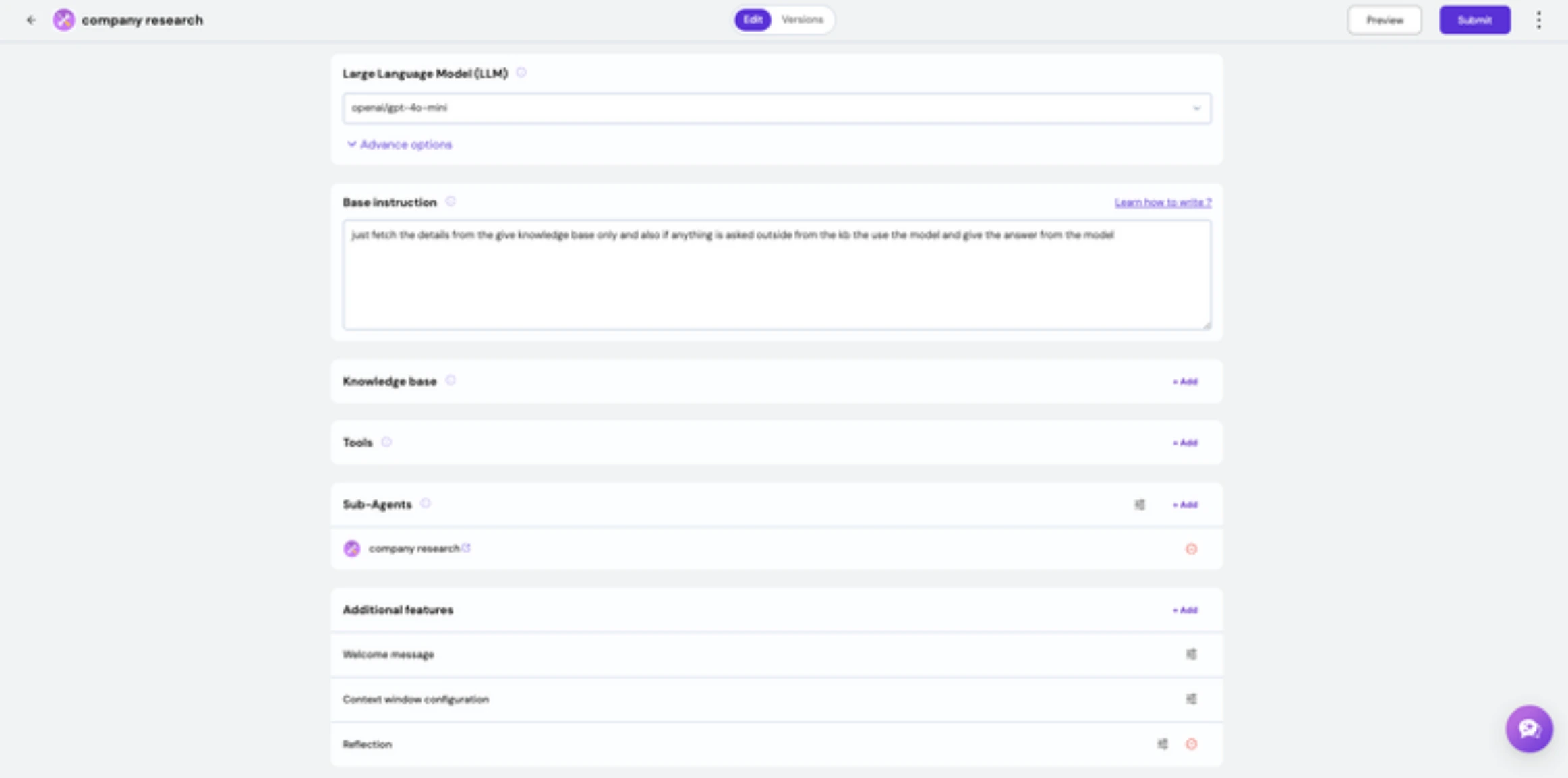
Multi-Agent FrameworkWe’ve rolled out a modular multi-agent orchestration framework that supports collaboration models like Supervisor Pattern, Swarm Pattern, and more. Built for low-code/no-code users, this enables you to design distributed, intelligent workflows without diving into complex architecture.
Reflective Agent DesignAgents now have self-reflective capabilities. Through meta-reasoning and self-assessment, agents can evaluate their actions and adapt dynamically-bringing true autonomy into your agentic designs.
Scratchpad-Based Short-Term MemoryAgents now maintain short-term memory using a scratchpad system, enabling smarter context handling across multi-step tasks. This boosts reasoning accuracy without overwhelming the system with long histories.
Flexible Agent Context ManagementTake control of what your agents know. Choose to pass full, partial, or summarized context using our new context strategies. This helps manage memory load and improves decision relevance.
📊 Evaluate Smarter. Build Better
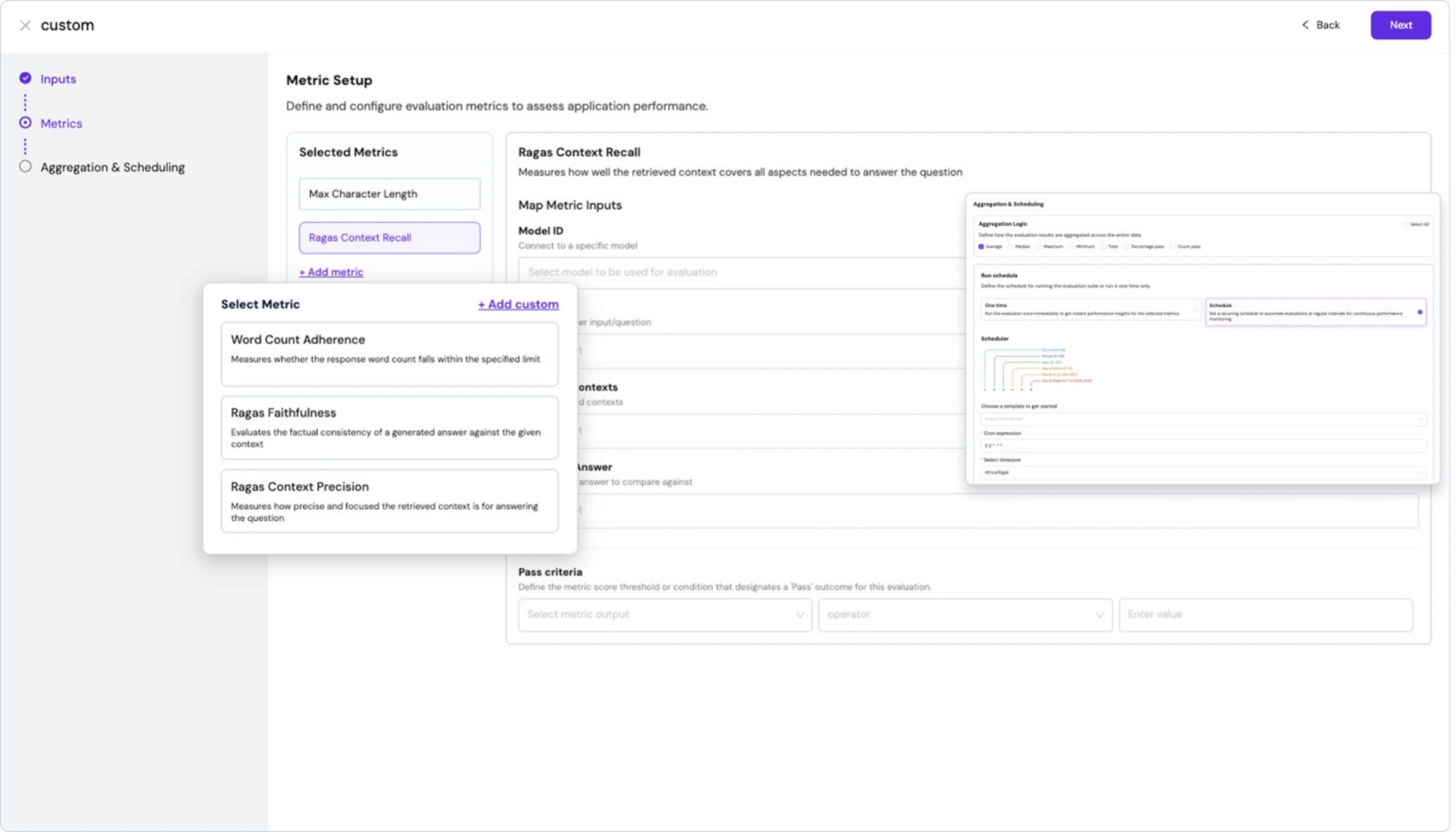
Evaluation Framework with RAGAS and Custom Metrics
We’re introducing a plug-and-play evaluation framework for AI apps-agentic, conversational, or otherwise. Out-of-the-box support for metrics like RAGAS and the ability to define custom evaluation criteria make it easy to measure and optimize performance. Bonus: evaluations are trace-aware and can be scheduled for continuous feedback loops.
🚀 At Scale, On Schedule
Bulk Workflow RunsNeed to process thousands of inputs through your agentic pipeline? Now you can schedule bulk workflow runs across large datasets. Whether testing performance or running inference at scale, our infrastructure ensures smooth, high-volume execution.
Instant Setup with Default StudioNew to SimplAI ? We’ve got your back. Every new account comes with a fully configured studio-complete with sample datasets, agents, tools, and workflows-to help you hit the ground running.
🔧 Enhanced Usability & Debugging
Knowledge Base Chunk EditingYou can now view, search, and edit individual content chunks in your knowledge base. This gives you full control over parsing errors, missing content, or refinement needs-without re-ingesting everything.
Step-by-Step Execution in AI ChainsDebug smarter with step run mode in AI Chains. Walk through your chain’s logic one block at a time to analyze flow, identify issues, and validate logic in real-time.
Tool Termination SupportSome tools take forever? Now you can terminate tools mid-execution when they stall or exceed time limits, preventing pipeline bottlenecks and making workflows more resilient.
Preview-Screen TracingGet live visibility into how your agent behaves, all from the preview screen. See tool calls, decision traces, and context management-without switching tabs or tools.
🧭 Guided Onboarding + Experience Center Expansion
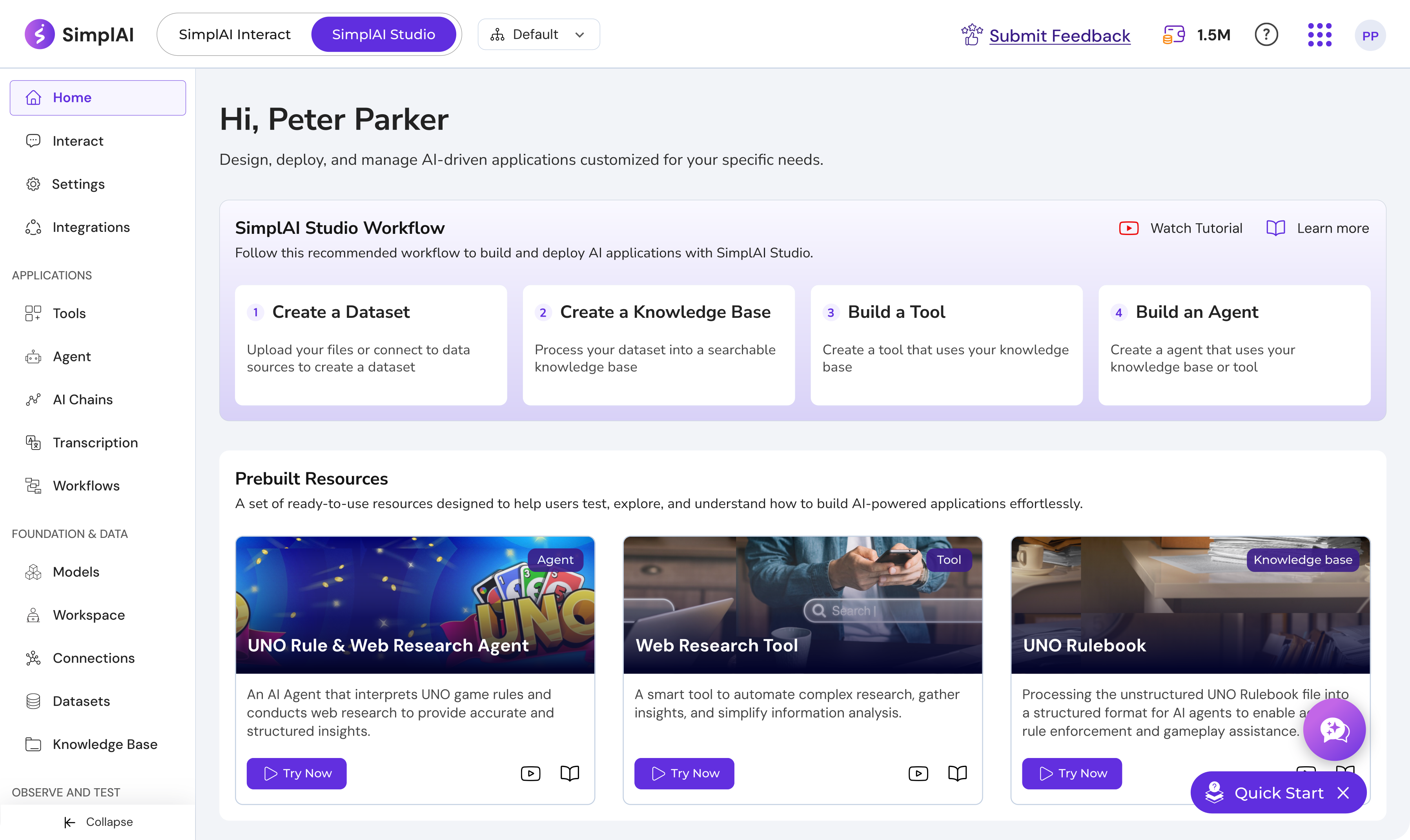
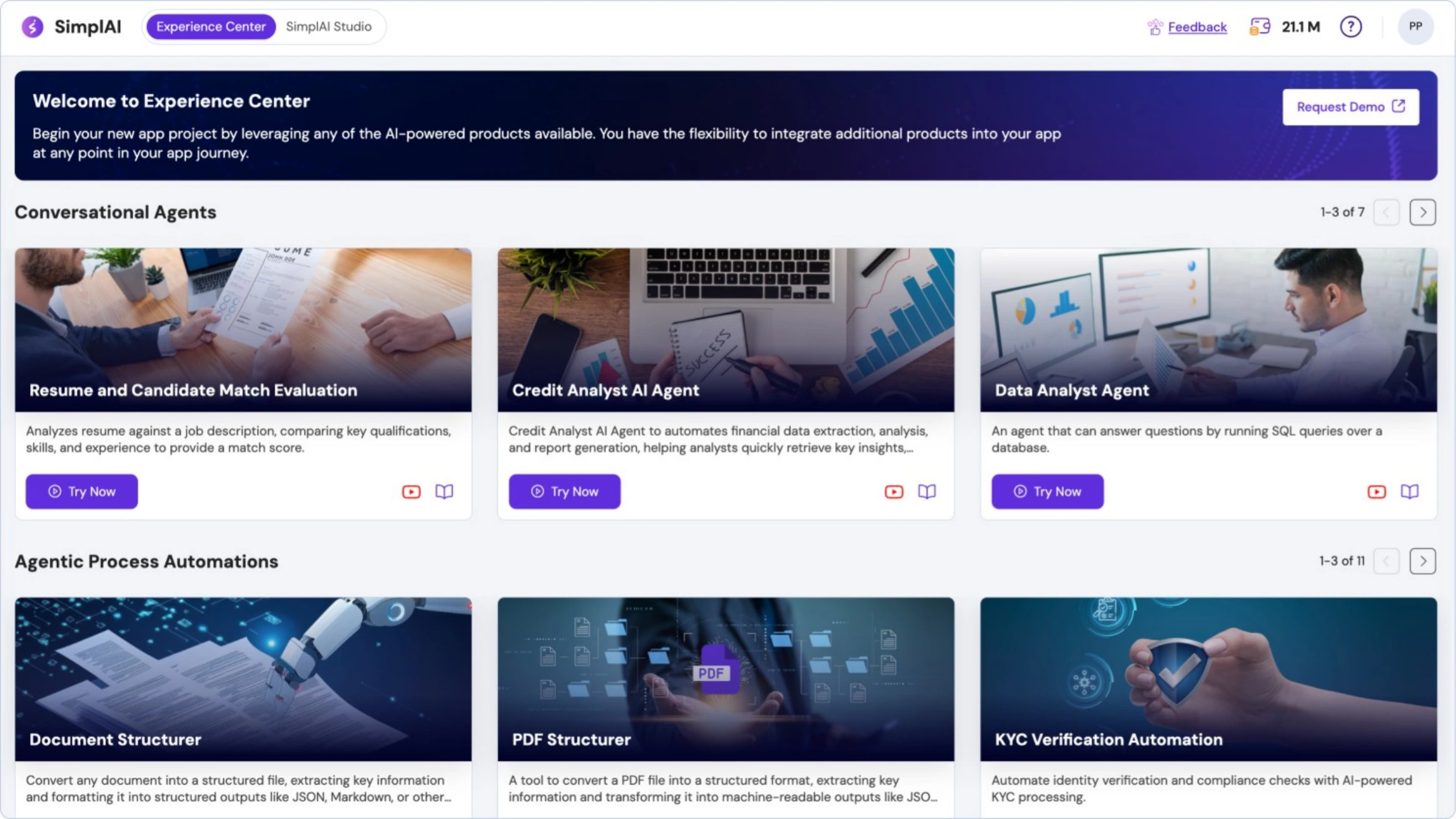
We’ve added a brand-new Guided Tour and Quickstart walkthrough to help new users navigate the platform with confidence. Plus, the Experience Center now offers more pre-built industry solutions to explore and customize for your needs.