TL;DR
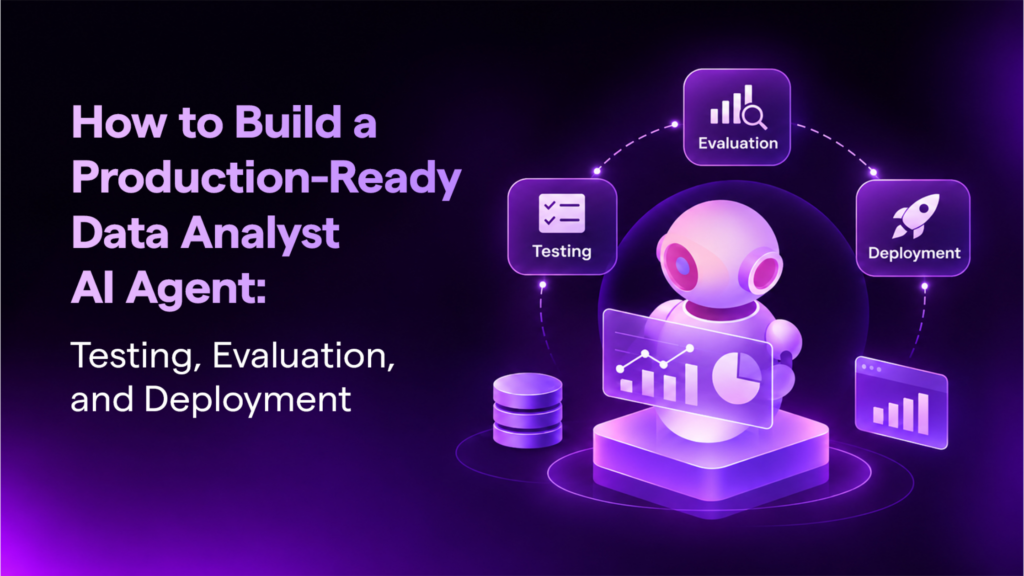
A data analyst AI agent that answers questions in a demo is not the same as one a business can trust in production. The SimplAI Data Analyst Agent turns plain-language questions into SQL, then wraps that loop in traces, version control, run history, API deployment, test datasets and LLM-based evaluation. This post walks through the full product demo, screen by screen.
Why does traditional data analysis slow enterprises down?
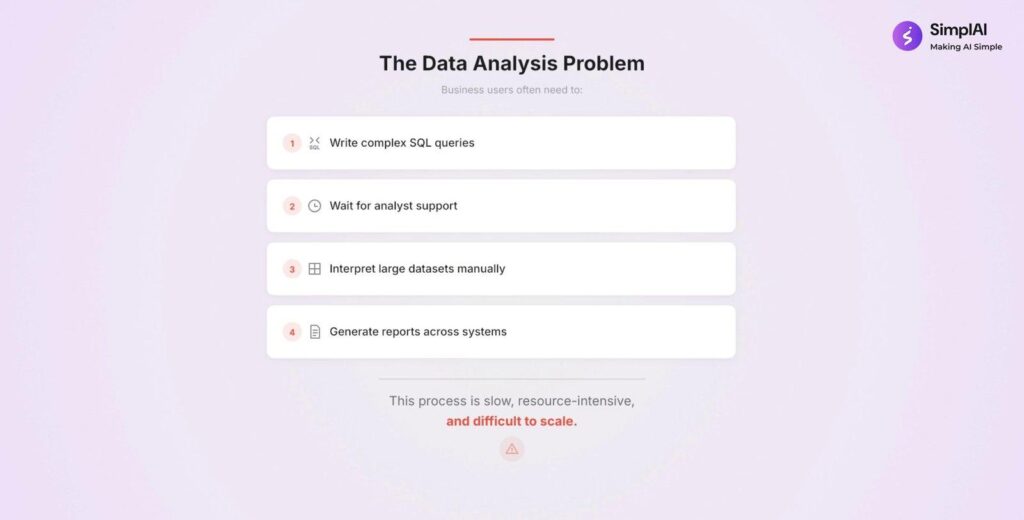
When a business user has a question about revenue, orders or customers, the path to an answer is rarely short. The demo opens with four steps business users often have to go through:
- Write complex SQL queries
- Wait for analyst support
- Interpret large datasets manually
- Generate reports across systems
The demo describes the result as slow, resource-intensive and difficult to scale. Every new question joins a queue, and the answer often arrives after the decision window has narrowed.
The data analysis problem: four manual steps that make analytics slow and hard to scale.
What is the AI visibility gap, and why does it block production use?
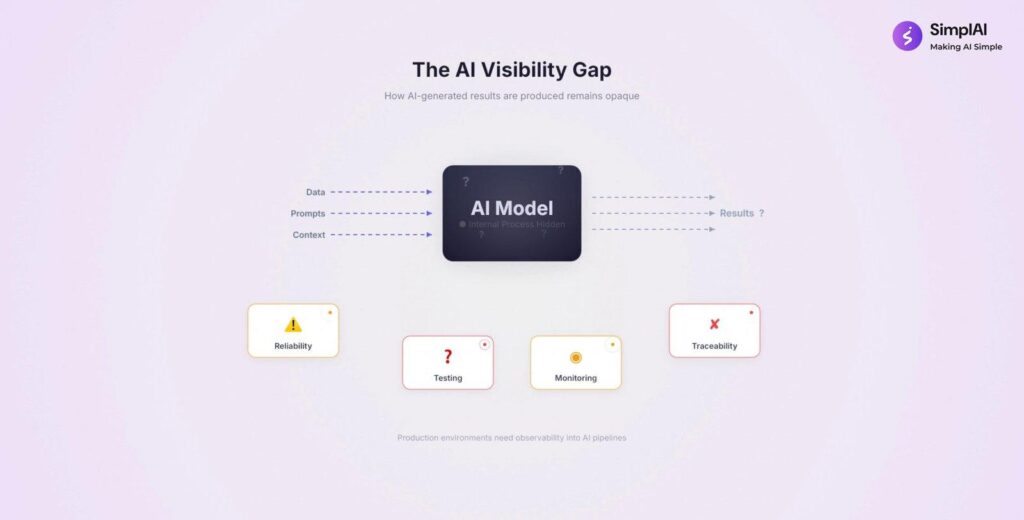
Teams that try a generic AI tool on enterprise data hit a second problem. Data, prompts and context go into a model, and results come out, but the reasoning in between is opaque. The demo labels this the AI visibility gap and points to reliability, testing and monitoring as what is missing.
This is the problem that stalls most pilots. An answer without a way to inspect it, test it and measure it does not pass an internal review.
The AI visibility gap: inputs and outputs are visible, the reasoning in between is not.
What is a production-ready data analyst AI agent?
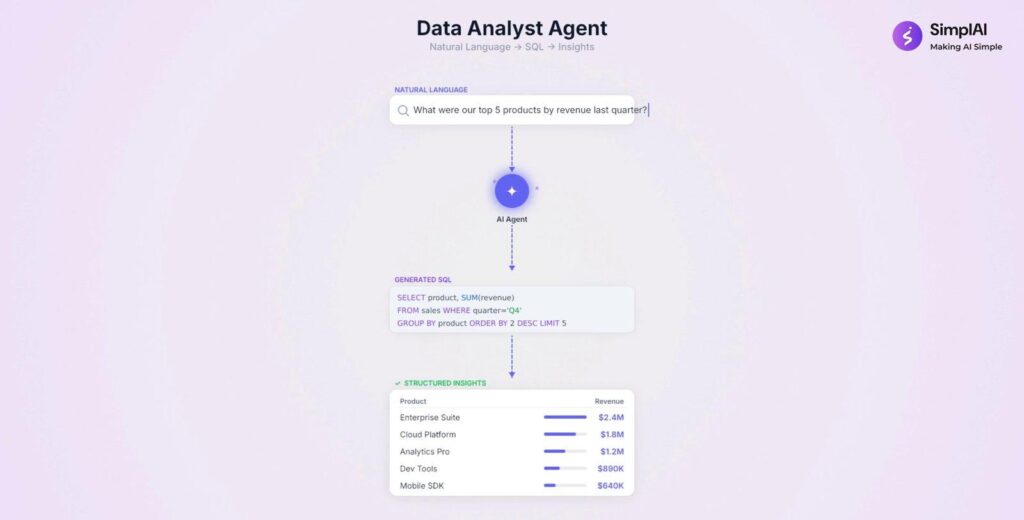
A production-ready data analyst AI agent lets business users ask questions in natural language. The agent generates a SQL query, executes it on the database, and returns structured insights. What separates it from a chatbot is everything around that loop.
The demo groups the surrounding capabilities into six platform features:
- Traceability for every step of a run
- Version control with rollback
- Dataset testing against sample inputs and expected outputs
- Evaluation frameworks that score the agent
- Deployment APIs for connecting the agent to other systems
- Performance monitoring across runs
Six capabilities that turn a query agent into a production system.
How does the agent turn a business question into SQL?
In the agent workspace, the tabs run along the top: Edit, Version, Run history, Deployment, Test Datasets and Evaluate. In preview mode the user sees a chat screen with suggested questions, such as total revenue, orders per customer and top-selling products. The user types a question, for example the total revenue generated from all orders in the last month.
The chat interface with suggested business questions.
The agent then shows its work. It writes a plan with numbered steps, calls the SQL writing and running tool, and returns the result along with a citation. The tool panel on the right shows the natural language query, the result and the generated SQL query. The user can also download the response, and a Show tracing link opens the run trace.
Plan, tool call, result and citation in one view.
The business user never has to write the query, but the query stays visible and inspectable. That is what makes the next layer, tracing, useful.
How do traces make AI analytics auditable?
Every run is recorded as a trace. In the demo trace, the top-level run took 15 seconds 165 milliseconds across 10 steps, all marked Completed. Inside it, you can see the individual model calls and a SQL writing and running step that took about 5 seconds across 4 sub-steps: an LLM step, python code, the SQL agent, and a second python code step.
Selecting any step shows its input and output as JSON. When a number looks wrong, a reviewer reads the trace instead of guessing which step failed.
A run trace with timing, status, and input and output for each step.
This matters most in regulated settings. Frameworks such as the RBI FREE-AI Framework, the DPDP Act, the EU AI Act and ISO/IEC 42001 push organizations toward being able to explain and evidence automated decisions. A step-level run record is raw material for that evidence. It does not replace a compliance review, but it gives the reviewer something concrete to examine.
Why does agent versioning matter?
An agent changes whenever someone edits an instruction, swaps a model or adjusts a tool. Without versions, a regression cannot be traced to a change. The Version tab lists each saved version with its ID, name, status, creator and actions. In the demo, one version is marked Published and another is available to publish, with an Export option on the published one.
The demo compares this to software releases: the agent evolves in controlled steps, teams can experiment without disturbing the live version, and a previous version can be restored if a change underperforms.
Version management: publish a version, export it, or go back to another.
What do run history and performance metrics show?
The Run history tab combines a summary strip with a run-by-run table. Summary metrics in the demo include average latency, average cost per run, latency per tool call, steps per run, average context window utilization, and average prompt and completion tokens. For the demo data, average latency was 17.42 seconds, steps per run was 10, and the average prompt and completion token counts were 867.36 and 72.53.
Below the metrics, the table lists each run with its version, status, source, user and input. Teams can filter by Completed or In Progress, select a date range and download the data. Use it to find slow steps and expensive prompts, and to decide where optimization is worth the effort.
Run history: operating metrics and a per-run table with a download option.
How is the agent deployed into business systems?
The Deployment tab offers five ways to connect the agent: API Configuration, Webhooks, Embedded code, A2A Configuration and Third-party apps. The API configuration page provides the endpoint, headers and body, an example request, and a selector for the available operations: chat initiation, continuing a previous chat, getting a result for a message ID, getting a full conversation, and listing all conversations.
API configuration: endpoint, authentication and an example request.
Webhooks cover event-driven use, and A2A configuration exposes an agent card so other agents can discover and call this one. The result is an analyst agent that can sit inside a dashboard, portal or workflow instead of living in a separate tool.
Webhooks let the agent push results to other systems.
How do you create a test dataset for an AI agent?
A test dataset is a set of sample inputs paired with expected outputs, including edge cases and failure behaviors. In the Test Datasets tab, the demo creates one with the help of an assistant: describe what the dataset should test, paste the table schema if needed, and preview the generated rows before saving.
Each generated row has an input question and an expected output described in plain language, for example that the agent should acknowledge a request or should clarify a vague one. The dataset then becomes a fixed benchmark that every future version is measured against.
Generate a test dataset with an assistant, then review it before creating.
How do you run test cases and compare agent versions?
Creating a test run means choosing the version, the dataset and the evaluators. The demo selects an LLM Judge, which provides prompt-based scoring, as the evaluator type. A Python Executor is the alternative for rule-based checks, and an Autofill with AI option fills in the rest of the evaluator setup.
Results open in a run view with each row’s input, expected output, actual output, status and a linked trace ID, so any individual result can be traced back to the full execution. The run view also offers Add comparison and Run on v1, which let you compare against another run or re-run the same cases on a different version. Because the inputs are fixed, a change in score comes from the change you made to the agent.
Test run results: each row links back to its trace.
How does LLM-based evaluation work?
The Evaluate tab scores real runs. In the demo you configure an evaluator run by choosing past conversations or future conversations, filtering by trace status and date range, and selecting the traces to evaluate. The demo selects three. You then set up the evaluator, again choosing LLM Judge or Python Executor, give it a name, describe what to evaluate, such as the relevance of the agent’s response, and let Autofill with AI complete the rest.
Choose which past traces to evaluate, or set up evaluation for future conversations.
The results screen shows total rows, rows processed and the evaluator average. In the demo, three rows were processed with an average score of 3.67. Each row lists its trace ID, a score or label and an explanation, so the number is backed by a reason.
Evaluation results: an average score, plus a score and explanation per trace.
Two cautions keep this honest. A judge model is itself a model, so spot-check its scores against human review. And write criteria that reflect your business definition of a correct answer, not a generic one.
The five gates: a checklist before a data analyst agent goes live
This is a framework we propose for this post, built from the controls in the demo. Treat each as a gate the agent must pass before wider rollout.
| Gate | Question it answers | Demo control |
|---|---|---|
| 1. Answer | Does it produce correct SQL and insight from plain language? | Natural language to SQL, plan, citation |
| 2. Trace | Can a reviewer see how every answer was made? | Run traces with step input and output |
| 3. Version | Can we change safely and go back? | Version tab, publish and export |
| 4. Test | Does it pass a fixed benchmark, including edge cases? | Test datasets and test runs |
| 5. Evaluate | Is quality measured continuously, not once? | LLM Judge, evaluation runs, run history metrics |
Deployment through API, webhook, embedded code or A2A comes after the gates, not before.
Why use agentic AI for enterprise analytics?
The demo contrasts traditional AI, which returns text output only, with what enterprise analytics requires: tool execution, SQL generation, multi-step reasoning and traceability. Agentic AI, in the demo’s framing, executes workflows and generates auditable results, with execution, generation, audit and delivery as the cycle, and accuracy, transparency and production readiness as the outcomes.
What enterprise analytics requires beyond text output.
The demo closes with six benefits for organizations:
- Accelerate data analysis workflows
- Reduce dependency on technical teams
- Improve decision-making speed
- Increase operational visibility
- Monitor AI performance effectively
- Deploy AI agents into real systems
Six benefits the demo highlights.
See the Data Analyst Agent in action
Embed the YouTube demo here, then add a call to action: book a walkthrough at simplai.ai/request-demo.
FAQs
What is a data analyst AI agent?
A data analyst AI agent takes a business question in plain language, plans the steps, generates and runs the SQL query against the database, and returns structured insight. In production it also records traces, supports versioning, and is tested and evaluated before release.
How is it different from a chatbot that writes SQL?
A chatbot returns an answer. A production agent adds execution traces, version control, run history, test datasets, evaluation and deployment options, so each answer can be audited and quality can be measured over time.
How does an agent trace help with debugging?
A trace lists every step of a run, such as model calls and SQL tool steps, with timing, status and the input and output of each step. When a result looks wrong, the team reads the trace to find the step that caused it.
What is LLM-as-a-judge evaluation?
It is a method where a language model scores an agent output against criteria you define, and returns a score with an explanation per run. Human spot checks should validate the judge.
How do you deploy the agent into existing tools?
Through API configuration, webhooks, embedded code, A2A configuration and third-party app integrations, so the agent can run inside existing dashboards, portals and workflows.
Author bio